If you have used DevToys on Windows, you know the appeal: one app that handles JSON formatting, Base64, JWT decoding, hash generation, and a dozen other utilities. No browser tabs, no CLI commands, no context switching. Then you moved to macOS and looked for the same thing.
The macOS version of DevToys exists, but it has always felt like a port rather than a native app. The UI does not follow macOS conventions, the performance can lag on Apple Silicon, and it carries the weight of a cross-platform framework. If you chose a Mac for its software quality, the gap is noticeable.
What Mac Developers Actually Want
macOS users expect apps that feel like they belong on the platform. That means a native sidebar, standard keyboard shortcuts, proper dark mode support, and integration with system features like the menu bar. These are not cosmetic preferences — they affect how quickly you can get in, do the task, and get out.
A developer tools app lives in the cracks between focused work sessions. It needs to launch instantly, accept input without friction, and disappear when you are done. Every millisecond of lag or UI confusion works against that purpose.
A Mac-Native Alternative with 41 Tools
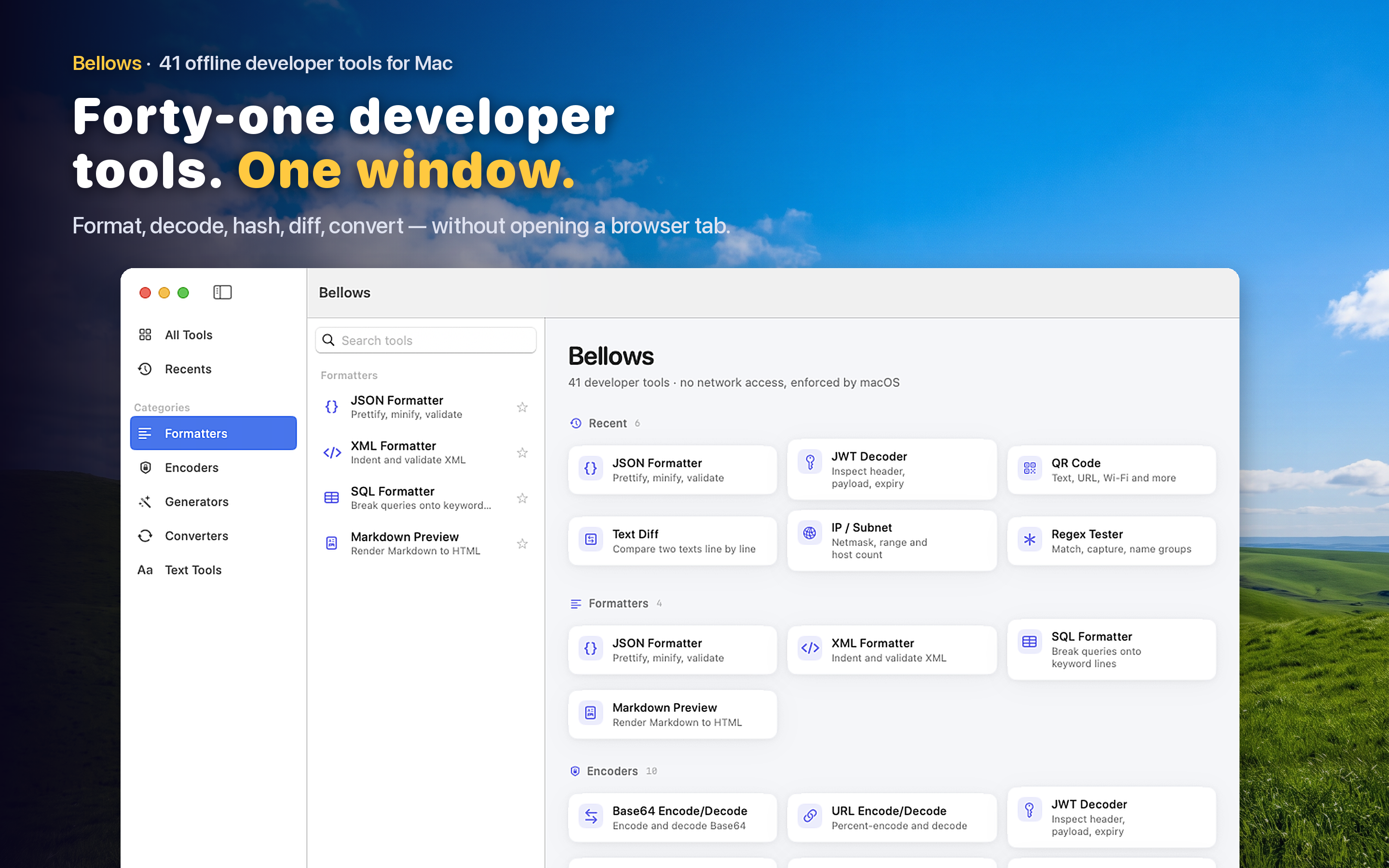
Bellows is built in Swift specifically for macOS. It uses a NavigationSplitView sidebar to organize 41 tools across five categories: Formatters, Encoders, Generators, Converters, and Text Tools. It runs as both a menu bar app and a standalone window — your choice depending on how you work.
How It Compares to DevToys
Both apps cover the same core territory — JSON formatting, encoding/decoding, hashing, UUID generation, color conversion. Where Bellows differs is in platform integration. Clipboard detection suggests the right tool based on what you just copied. Menu bar access means you never need to Cmd-Tab to find the app. Recents tracking surfaces your most-used tools at the top. These are small touches, but they compound across hundreds of daily interactions.
Fully Offline
Like DevToys, Bellows runs entirely offline. No data leaves your machine, no account required, no telemetry. For developers working with credentials, tokens, or proprietary data, this is table stakes — but worth confirming explicitly.
Native Performance
Because Bellows is built with native macOS frameworks rather than Electron or a cross-platform toolkit, it launches instantly and uses minimal memory. It behaves like a system utility, not a web app wearing a native skin.