You need to decode a JWT, format a JSON blob, generate a UUID, and encode a string to Base64 — all in the next ten minutes. So you open four browser tabs, paste sensitive data into four different websites, and hope none of them are logging your clipboard. Then you do it again tomorrow.
Developers cobble together bookmarks, shell aliases, and one-off scripts to handle these micro-tasks. It works, technically. But every context switch — leaving your editor, finding the right tab, waiting for a page to load — chips away at the focus you need for the actual problem you are solving.
What macOS Gives You Out of the Box
macOS ships with Terminal, which covers some of this ground if you remember the right flags. uuidgen gives you a UUID. echo -n "text" | base64 handles encoding. python3 -m json.tool formats JSON. But there is no unified interface, no discoverability, and no way to handle thirty different operations without maintaining your own cheat sheet of commands.
Xcode includes a few utilities buried in menus, but launching a 12 GB IDE to decode a URL string is like driving a truck to the corner shop.
A Single App for 41 Developer Tools
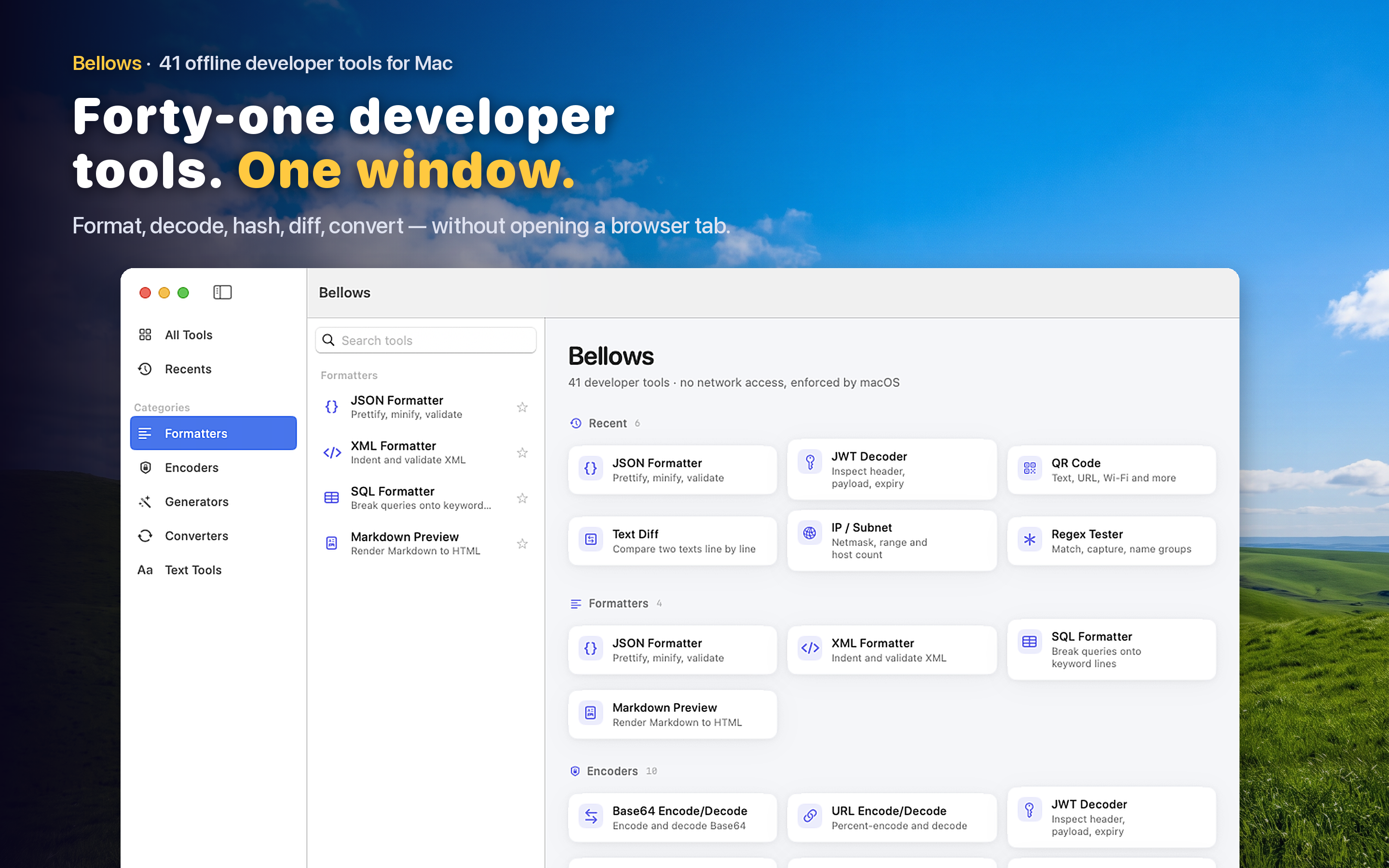
Bellows puts 41 developer tools in one native macOS app — accessible from your menu bar or as a standalone window. Tools are organized into five categories: Formatters, Encoders, Generators, Converters, and Text Tools. A sidebar lets you browse or search, and the app tracks your recently used tools so your most common operations are always one click away.
Clipboard Detection
Copy a JWT to your clipboard and open Bellows — it suggests the JWT decoder. Copy a JSON string and it surfaces the JSON formatter. This small feature eliminates the step of choosing a tool entirely; the app reads your pasteboard content and points you to the right utility.
Fully Offline
Every tool runs locally. No network requests, no telemetry, no pasting API keys into a website owned by someone you have never heard of. For developers working with tokens, secrets, or internal data, this is not a nice-to-have — it is a requirement.
Menu Bar Access
Bellows lives in your menu bar, so it is always one click away without cluttering your Dock. Click the icon, pick a tool, paste your input, get your output. The entire interaction takes seconds and you never leave your current workspace.
Who This Is For
Backend engineers debugging API responses. Frontend developers converting colors between hex and RGB. DevOps engineers decoding Base64-encoded secrets. Mobile developers generating UUIDs for test data. Anyone who has ever thought "there must be a faster way to do this" while reaching for a browser tab.