You download a video converter, drag in a 4K file, and your MacBook's fans spin up like a jet engine. Activity Monitor shows the app consuming 800 MB of RAM — for a format converter. The culprit is almost always Electron: a full Chromium browser running behind a converter's UI. The app looks polished, but it's burning resources on rendering a web page instead of transcoding your video.
On a machine built for media work, the converter itself shouldn't be the performance bottleneck.
Why Native Matters for Video
macOS includes hardware-accelerated video encoding and decoding through VideoToolbox. Apple Silicon chips have dedicated media engines that can transcode H.264 and H.265 at a fraction of the power consumption of software encoding. But a converter only benefits from these if it's built with native frameworks. Electron apps typically shell out to ffmpeg running in software mode, bypassing the hardware entirely.
The difference is measurable: a 10-minute 4K clip that takes 3 minutes in a native app can take 12 minutes in an Electron wrapper, while consuming more battery and more RAM.
A Converter That Uses the Hardware You Paid For
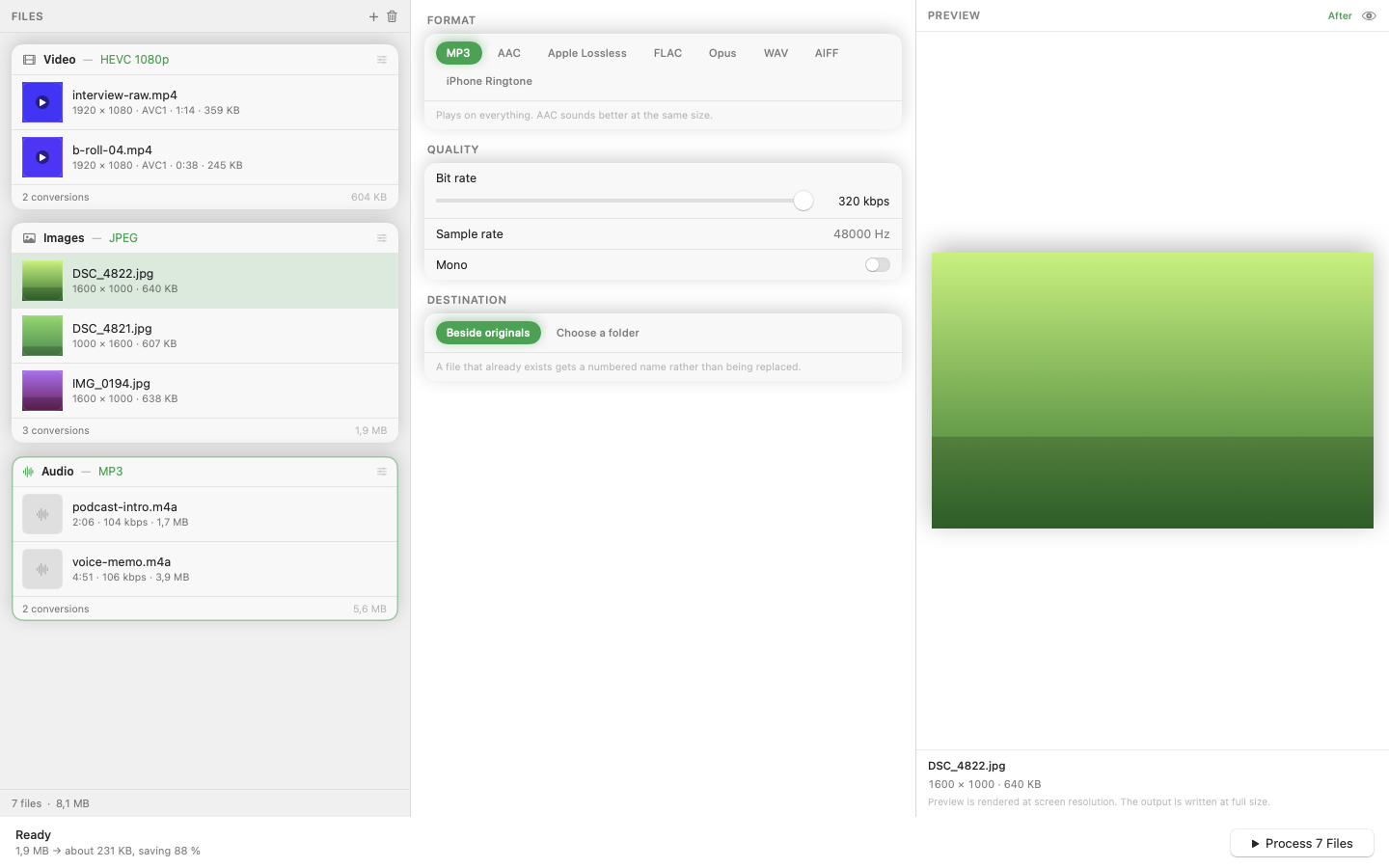
Mediasmith is built in Swift with native macOS frameworks. Video transcoding uses hardware acceleration on Apple Silicon automatically. The app sits in a single window with three queues — video, images, and audio — and its memory footprint stays small because there's no embedded browser.
Format Support
Convert between MOV, MP4, AVI, MKV, and WebM. For most workflows, converting a screen recording from MOV to MP4 for sharing, or transcoding client footage to a deliverable format, is drag-drop-done.
Runs Alongside Your Other Tools
Because the app is lightweight, you can run a batch conversion in the background while editing in Final Cut Pro or Premiere without the converter competing for resources. On a MacBook, that also means less heat and longer battery life.
If your current converter makes your Mac sound like it's rendering a feature film when it's just changing a container format, a native app is the fix.