You need to convert a batch of product photos to JPEG, transcode a screen recording to MP4, and export a podcast segment as MP3. On most setups that means opening three different apps, learning three different interfaces, and babysitting three different queues. If even one of those tools is an Electron wrapper, your fans are already spinning.
Media conversion on macOS shouldn't feel like project management. You want to drag files in, pick a format, and move on with your day.
Why macOS Doesn't Ship a Real Converter
Finder's Quick Actions can convert images between HEIC, JPEG, and PNG — and that's about it. For video you're pointed toward iMovie or Compressor, neither of which is a simple format converter. Audio conversion requires GarageBand or a trip to the terminal with ffmpeg. There's no single built-in tool that handles video, images, and audio together.
What a Proper Media Converter Looks Like
Mediasmith puts three conversion queues — video, images, and audio — into one native macOS window. You drag files onto the queue that matches their type, pick an output format, and hit convert. There are no browser runtimes, no subscriptions, and no upload-to-cloud gimmicks.
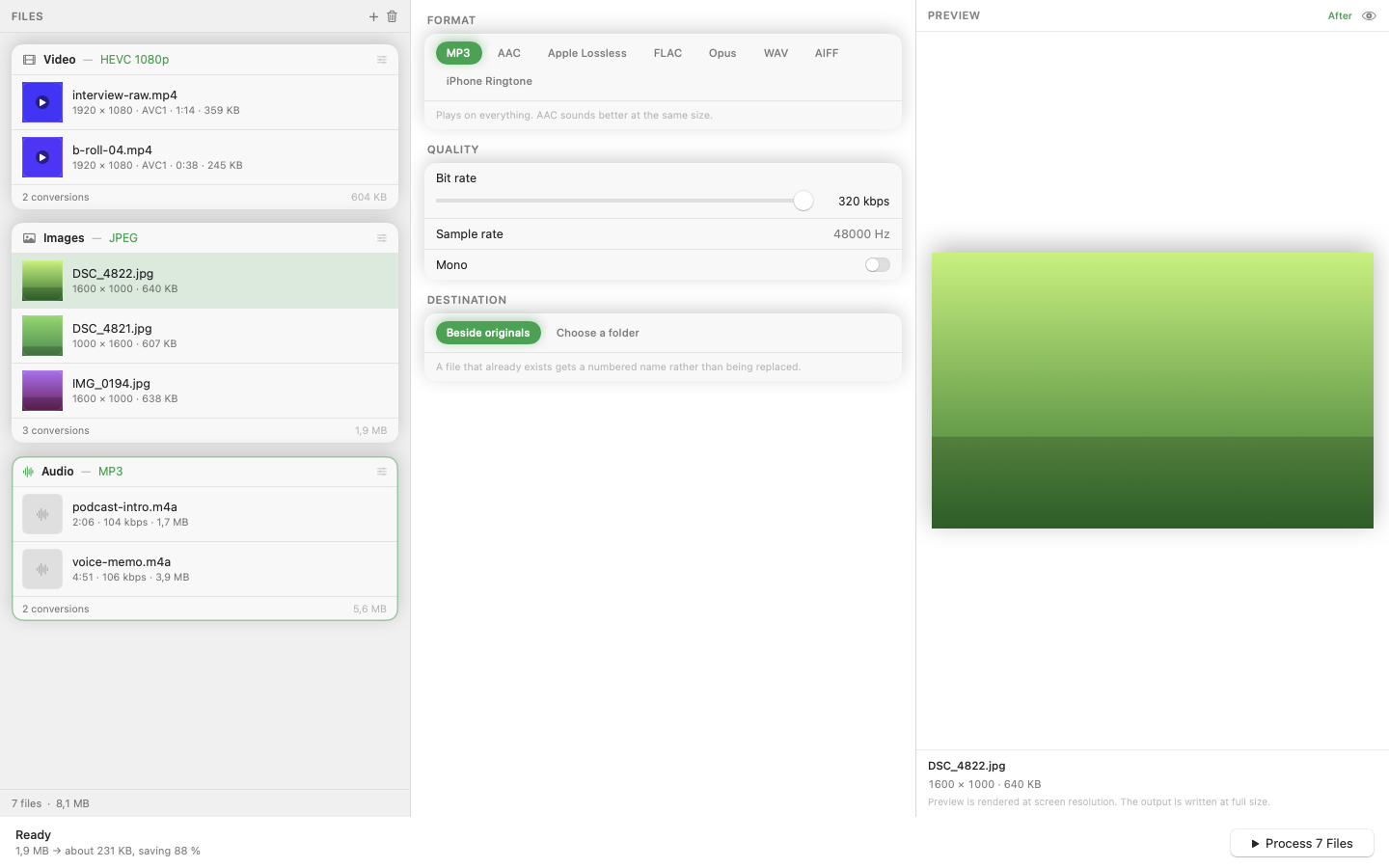
Video Conversion
Convert MOV, AVI, MKV, and WebM to MP4 or other formats. Because it's a native Swift app, hardware-accelerated encoding on Apple Silicon is used automatically — a 4K clip converts in a fraction of the time an Electron-based tool would take.
Image Batch Processing
Drop hundreds of images and convert between HEIC, JPEG, PNG, WebP, and TIFF. An ordered pixel pipeline lets you chain operations — resize first, then crop, then stamp a watermark — and every operation applies in the sequence you set.
Audio and MP3 Export
The audio queue handles format conversion including MP3 export through a bundled LAME encoder. No need to install Homebrew, compile libraries, or figure out ffmpeg flags.
Presets and Concurrency
Save format-and-pipeline combos as presets so recurring jobs take one click. Batch processing runs with configurable concurrency, so large queues finish faster without starving the rest of your system.
If you've been duct-taping together Preview, Handbrake, and a terminal window, a single native converter is a genuine quality-of-life upgrade.