You have a WAV file from a voice recording and need an MP3 for your website. Or a podcast edit exported as AIFF that needs to be MP3 for distribution. Or a video file where you just need the audio track as MP3. On macOS, this simple task leads you down a rabbit hole of questionable free apps, browser-based converters that upload your audio to unknown servers, or installing Homebrew and ffmpeg just to run a single command.
MP3 is the most universal audio format on earth. Converting to it on a Mac shouldn't require a computer science degree.
Why macOS Doesn't Export MP3 Natively
MP3 encoding requires the LAME library (or equivalent), and Apple doesn't bundle it. iTunes — now Music — can import CDs as MP3, but there's no general-purpose "convert this file to MP3" feature in the OS. GarageBand can export as MP3, but opening GarageBand to convert an audio file is like opening Final Cut to trim a video. QuickTime Player exports audio as M4A only. The gap exists because MP3 encoding is a licensed technology that Apple chose not to integrate into its conversion workflows.
MP3 Export With a Bundled Encoder
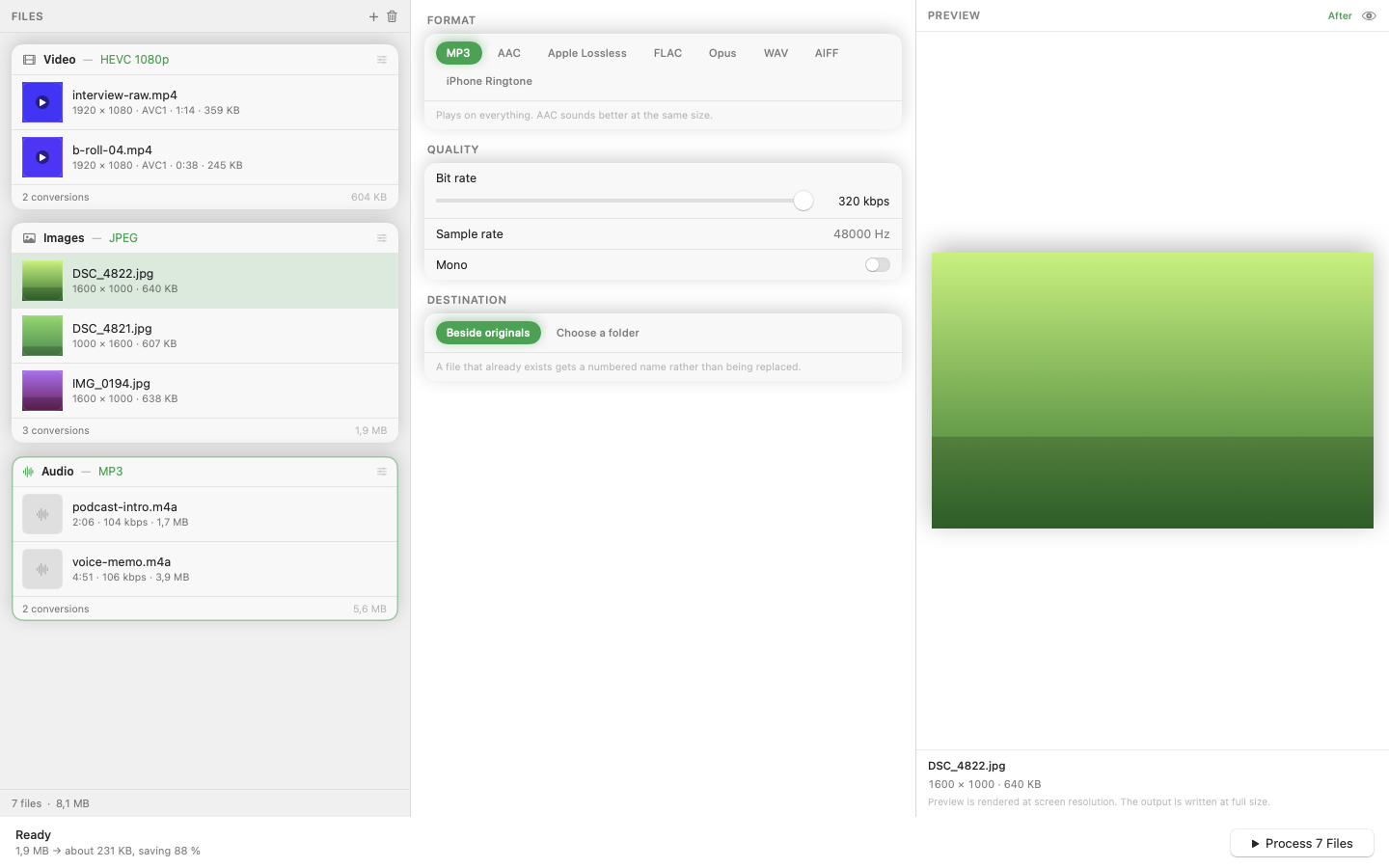
Mediasmith bundles the LAME MP3 encoder directly inside the app. No Homebrew, no terminal, no codec downloads. Drag an audio file onto the audio queue, select MP3 as the output format, and convert. The encoder is included — it works the moment you open the app.
Not Just Audio
The same app handles video conversion (MOV to MP4, MKV to MP4) and image batch processing (resize, crop, watermark, format conversion) in separate queues. If your workflow spans media types — which most creative workflows do — one app covers all three without juggling tools.
Batch Audio Conversion
Need to convert a folder of WAV recordings to MP3? Drop them all at once. The batch processes with configurable concurrency, so even large collections of audio files convert quickly.
Local and Private
Every conversion happens on your machine. No files are uploaded anywhere. For client recordings, interview audio, or anything confidential, this matters more than convenience — it's a requirement.
MP3 conversion is a basic utility that macOS forgot to include. A native app with a bundled encoder fills the gap without the overhead.