DB Browser for SQLite (DB4S) is the go-to free tool for viewing SQLite databases. It's open source, cross-platform, and has been around for years. But if you use it on a Mac, you've noticed the friction: Cmd+Q sometimes doesn't work as expected, file dialogs look like they belong on a different operating system, and the interface never quite matches your other apps. It works — but it doesn't feel right.
Where DB Browser Falls Short on Mac
DB4S is built with Qt, a cross-platform UI framework. On Mac, this means the app doesn't use native macOS controls. You notice it in small ways: the tab bar doesn't match Safari's, scroll physics feel off, and there's no Handoff, Spotlight integration, or proper dark mode support. The app also doesn't support macOS document-based architecture, so you can't open multiple databases in native tabs.
Performance is another issue. Opening a database with a large table can feel sluggish, and the UI occasionally hangs while executing queries. For a desktop app in 2026, users expect better responsiveness.
None of this makes DB4S a bad tool — it's excellent for what it is. But if you're on a Mac and want something that feels native, it leaves a gap.
Tome: A Native macOS Alternative
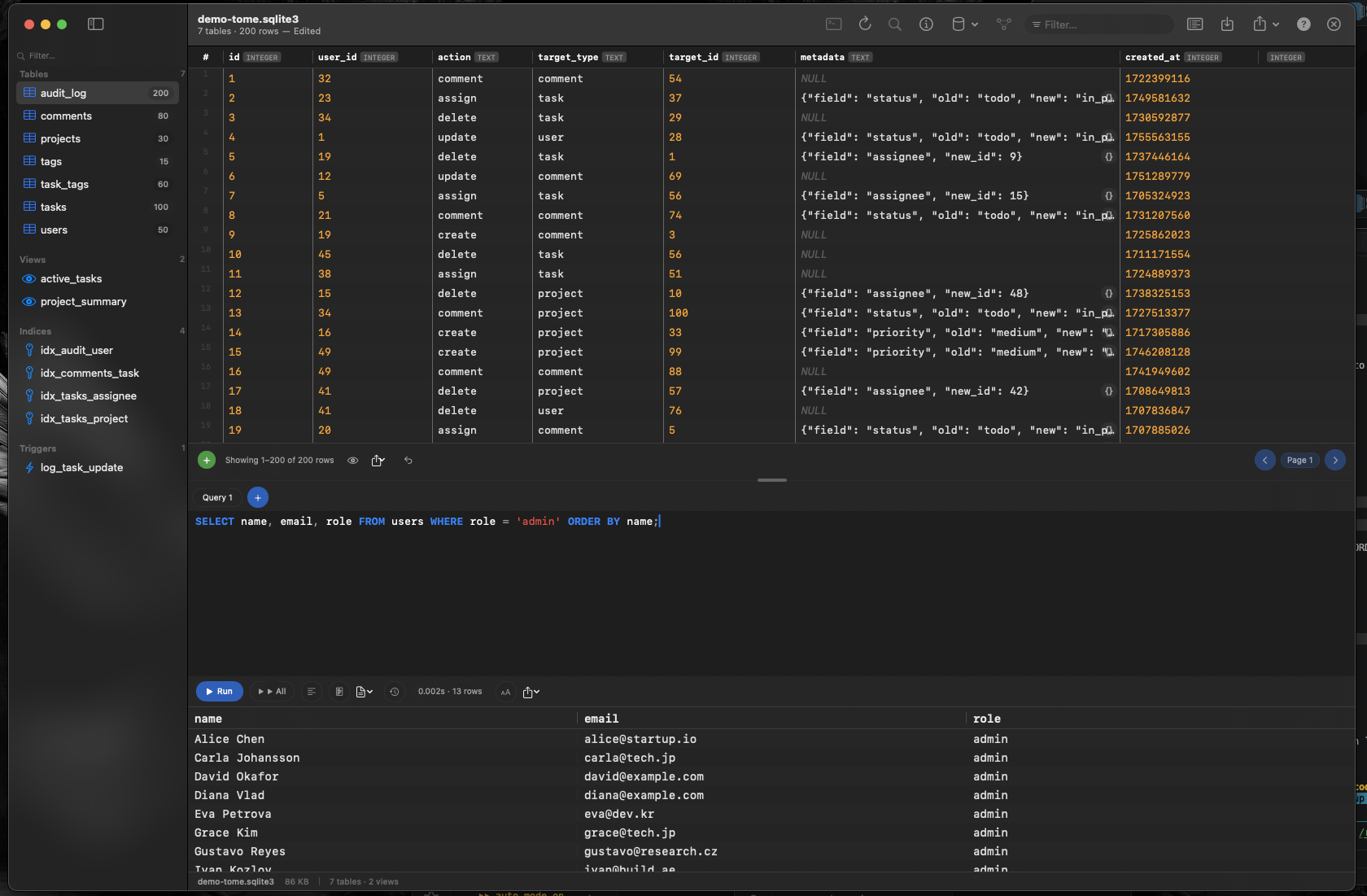
Tome fills that gap. It's a native SQLite browser and editor built specifically for macOS with Swift and AppKit. It does everything DB Browser does for everyday use — browse tables, edit data, run queries — but wrapped in an interface that belongs on your Mac.
Everything You Use DB Browser For, But Native
Browse tables, views, indexes, and triggers in a clean sidebar. View row data in a fast, scrollable grid. Edit cells inline without writing SQL. Insert and delete rows with a click. Create new tables with a visual editor instead of writing CREATE TABLE statements by hand.
SQL Query Editor When You Need It
Tome includes a full SQL query editor with syntax highlighting and auto-complete for your table and column names. Run SELECT, UPDATE, DELETE, or any other query and see results instantly.
Document-Based Workflow
Unlike DB4S, Tome uses macOS document-based architecture. Each database opens in its own window or tab. You can have multiple databases open simultaneously, arranged side by side, and switch between them the same way you switch between documents in any other Mac app.