You have a SQLite database you need to inspect. You search for a browser, download something promising, and immediately notice it doesn't support native macOS features — no document tabs, no system dark mode, no Spotlight integration. It feels like a Linux app wearing a Mac costume. This is the reality of most SQLite browsers available today.
Why Most SQLite Browsers Fall Short on Mac
The majority of database tools are built with Electron or Java, designed to run everywhere and optimized for nowhere. They ignore the Mac conventions you rely on: drag-and-drop from Finder, proper window management, smooth scrolling through large result sets. You end up fighting the tool instead of focusing on your data.
DB Browser for SQLite is open source and functional, but it's a Qt application — foreign keyboard shortcuts, non-native file dialogs, and no integration with the rest of your macOS workflow. TablePlus looks better but targets every database engine, making SQLite feel like an afterthought.
A SQLite Browser Built for Mac From the Ground Up
Tome is a native macOS SQLite browser built specifically for opening, browsing, and editing SQLite databases. It uses AppKit and Swift — no Electron, no cross-platform compromise. It launches instantly, respects your system appearance, and works the way Mac apps should.
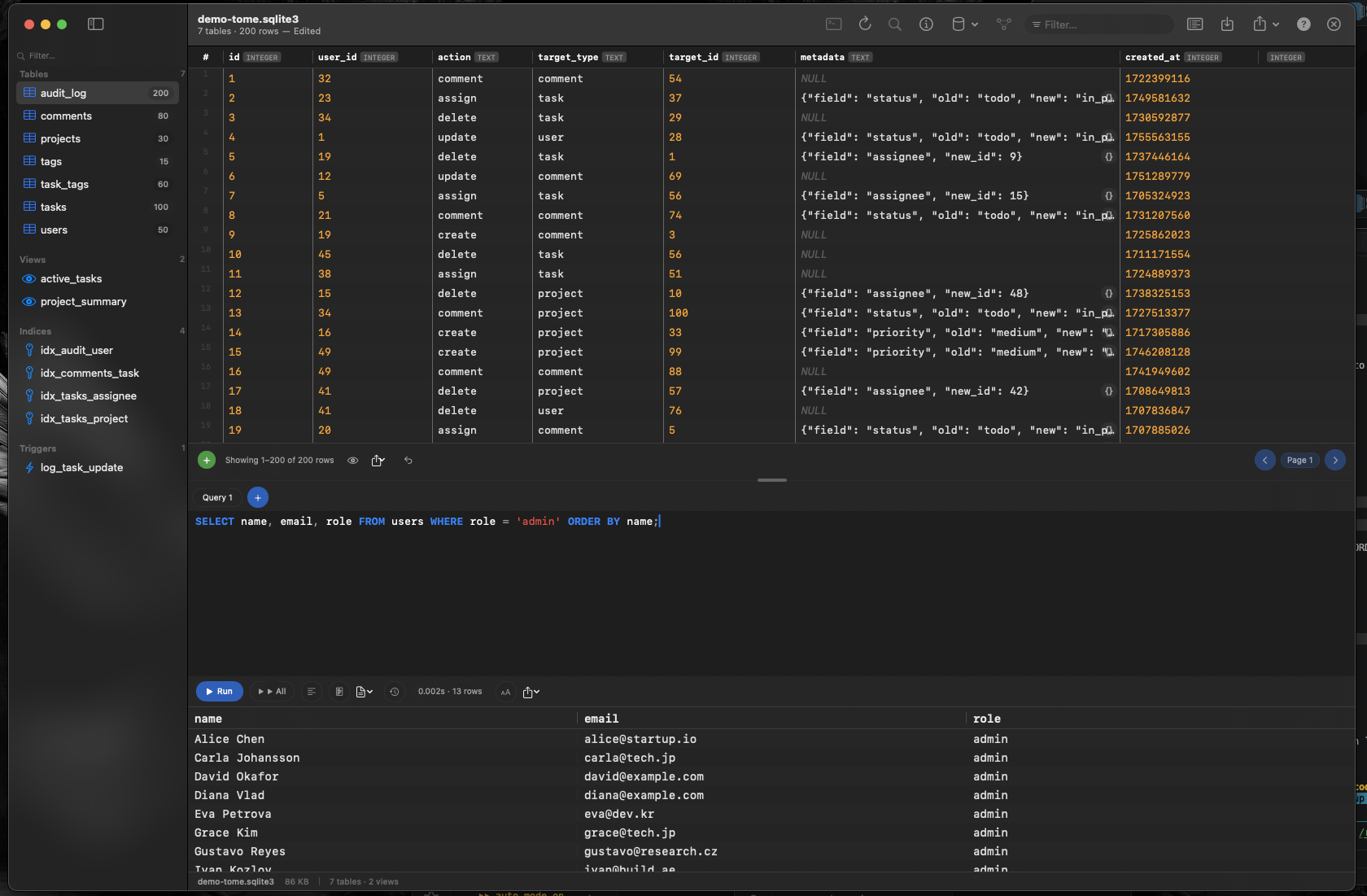
Browse Tables, Views, Indexes, and Triggers
Open any .db, .sqlite, or .sqlite3 file and immediately see every table, view, index, and trigger in your database. Click a table to browse its contents with fast, native scrolling. No waiting for a web view to render thousands of rows.
Edit Data Inline
Click any cell to edit it directly. Insert new rows, delete existing ones, or create entirely new tables using a visual editor — no SQL required for basic operations. When you do need SQL, Tome includes a query editor with syntax highlighting and auto-complete.
Document-Based — Open Multiple Databases Side by Side
Tome is document-based, meaning each database opens in its own window or tab. Compare staging and production databases side by side, or keep a reference database open while you work on another. It works exactly like any document-based Mac app — because it is one.