A blurred background is one of the most familiar visual effects in modern software — it's how macOS renders the menu bar, Control Center, and countless app sidebars. That soft, frosted-glass look reads as intentional and polished, unlike a flat color or an obviously fake clean desktop. It's a natural choice if you want to hide desktop icons without it looking like you're hiding anything.
Why people want a blurred desktop specifically
A gaussian blur over your desktop icons and wallpaper does two things a solid color overlay doesn't: it keeps a hint of your actual wallpaper's colors and shapes visible, so the desktop still feels personalized, and it visually communicates "out of focus" rather than "hidden," which feels less like you're concealing something during a screen share.
The manual way to get a blurred desktop is to open your wallpaper image in an editor, apply a gaussian blur filter, export it, and set it as your new wallpaper. That covers the wallpaper but does nothing about your icons — they'd still sit sharply on top of the blurred image, which defeats the purpose entirely.
A live blur overlay
DeskCloak includes a gaussian blur mode built specifically for this. Instead of pre-blurring a static wallpaper file, it applies a live blur overlay across your entire desktop — icons included — so everything underneath is softened into an out-of-focus backdrop.
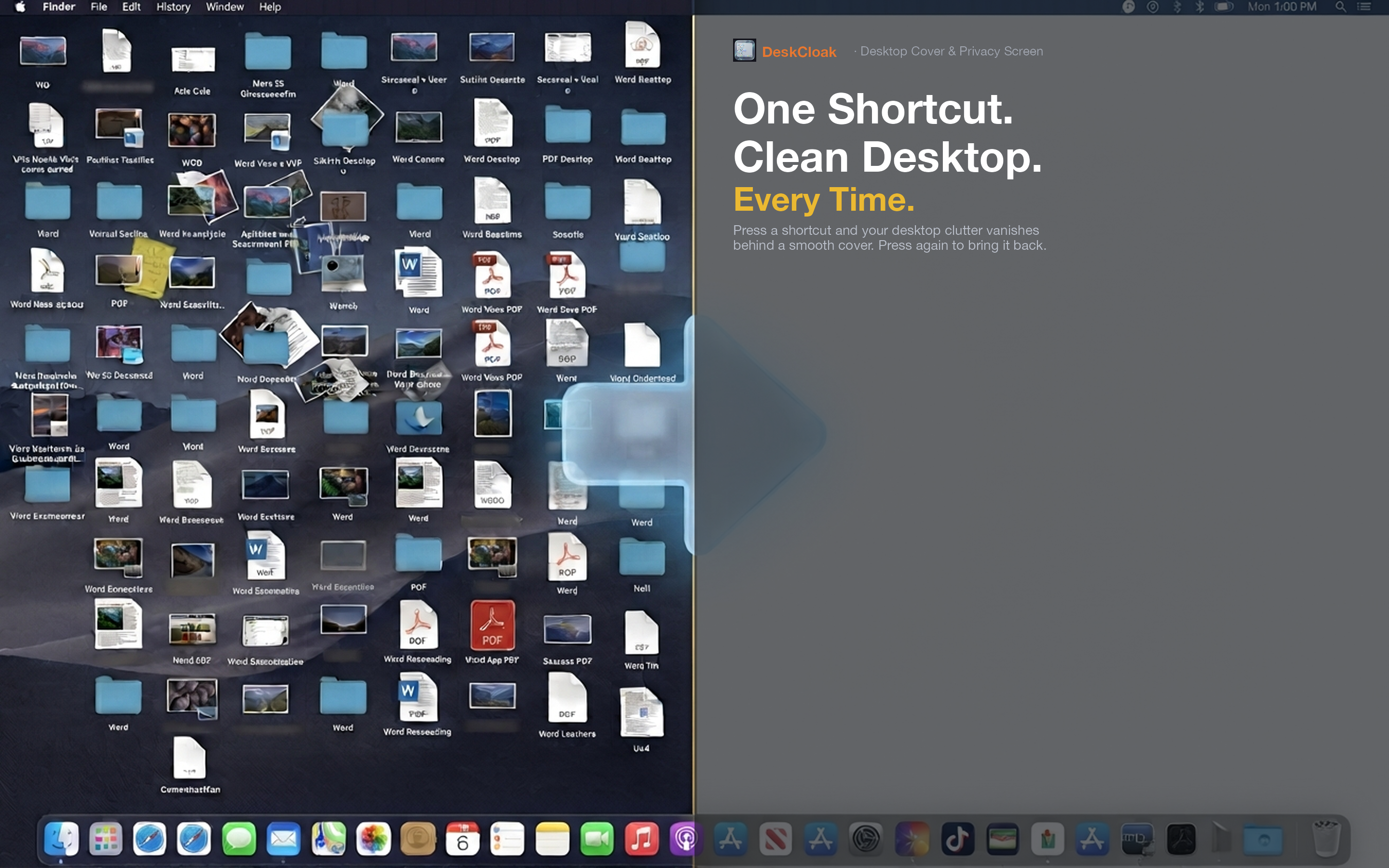
Icons disappear into the blur
Because the blur applies on top of everything on your desktop, individual icons lose their sharp edges and text labels entirely. File names become unreadable, folder icons blend into color blobs. The clutter is functionally invisible without looking like a blocked-out screen.
Matches modern macOS aesthetics
The blur style pairs naturally with macOS's own translucent UI elements, so your desktop looks cohesive with the rest of the system rather than like an obvious patch slapped over it.
Switch styles anytime
If blur isn't the right fit for a particular moment — say you want a completely flat background for a recording — DeskCloak also offers wallpaper mirror, solid color, and custom image modes. Switch between them from the menu bar without any extra setup.