FFmpeg is, without exaggeration, one of the most capable pieces of open-source software ever written. It converts between nearly every video, audio, and container format that exists, and if you know the right combination of flags, there's almost nothing it can't do. The catch is exactly that: you need to know the right combination of flags, every time, for every different kind of job, and one typo in a command produces either an error or — worse — a silently wrong output.
Why People Look for an Alternative
Installing ffmpeg means Homebrew, which means Xcode Command Line Tools if you don't already have them, which is a lot of setup for someone who just wants to convert one video file. Even once it's installed, the terminal-based workflow means no visual queue, no drag-and-drop, no live sense of progress beyond a scrolling log — fine for scripting, less fine for a one-off conversion between other tasks.
A GUI for the Common 90%
Nobody's claiming a GUI app replaces ffmpeg's full flag surface — filter graphs, obscure codecs, and scripting pipelines still belong on the command line. But most people reaching for ffmpeg are doing one of a handful of common jobs: convert this video to MP4, convert these images to JPG, export this audio as MP3. That's exactly the territory Mediasmith covers with a native drag-and-drop interface instead of a terminal.
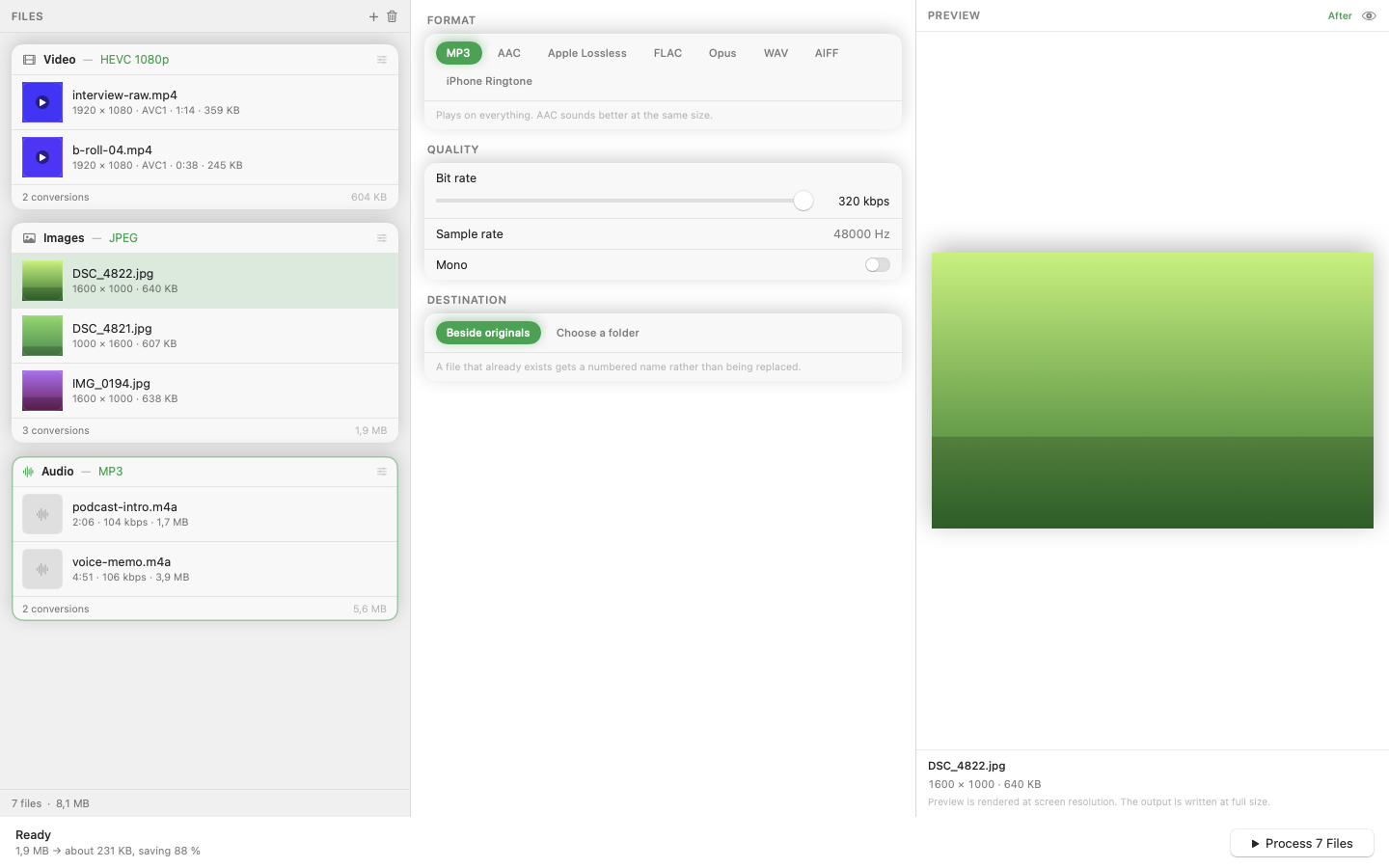
Three Queues Instead of Three Command Patterns
Rather than memorizing different flag sets for video, audio, and image conversion, there are three separate queues — one per media type — each with the relevant options exposed as controls instead of syntax.
Hardware Acceleration Without Configuring It
Getting ffmpeg to use hardware encoding on Apple Silicon means specifying the right encoder flag (-c:v h264_videotoolbox, for instance). A native app handles this automatically, using hardware acceleration by default without you needing to know it exists.
When to Still Reach for the Terminal
Batch scripting across thousands of files with custom logic, unusual filter chains, or codec options no GUI exposes — that's still ffmpeg's territory, and it should stay installed for those moments. A GUI tool and ffmpeg aren't rivals; they cover different parts of the same job.