You install a database browser, and Activity Monitor reveals it's using 350 MB of RAM — before you've opened a single file. The app takes several seconds to launch. Scrolling through a table stutters. The interface doesn't match your other Mac apps. This is the cost of Electron and Java-based database tools: they bring their own rendering engine, their own UI framework, and their own memory overhead, regardless of what you're actually doing with them.
Why Database Browsers Are Unnecessarily Heavy
Electron apps ship a full Chromium browser to render their interface. For a database browser — an app that primarily displays tables of data — this is like shipping a diesel generator to power a desk lamp. DBeaver and similar tools run on Java, which means a JVM startup penalty, garbage collection pauses, and memory usage that grows over time. Both approaches prioritize cross-platform compatibility over efficiency.
On macOS, this overhead is especially frustrating because the operating system already provides everything a database browser needs: AppKit for native table views, Core Graphics for rendering, and built-in support for dark mode, tabs, and window management. A database browser that uses these frameworks directly can be a fraction of the size and dramatically faster than one that brings its own platform.
Tome: A Database Browser That Respects Your Resources
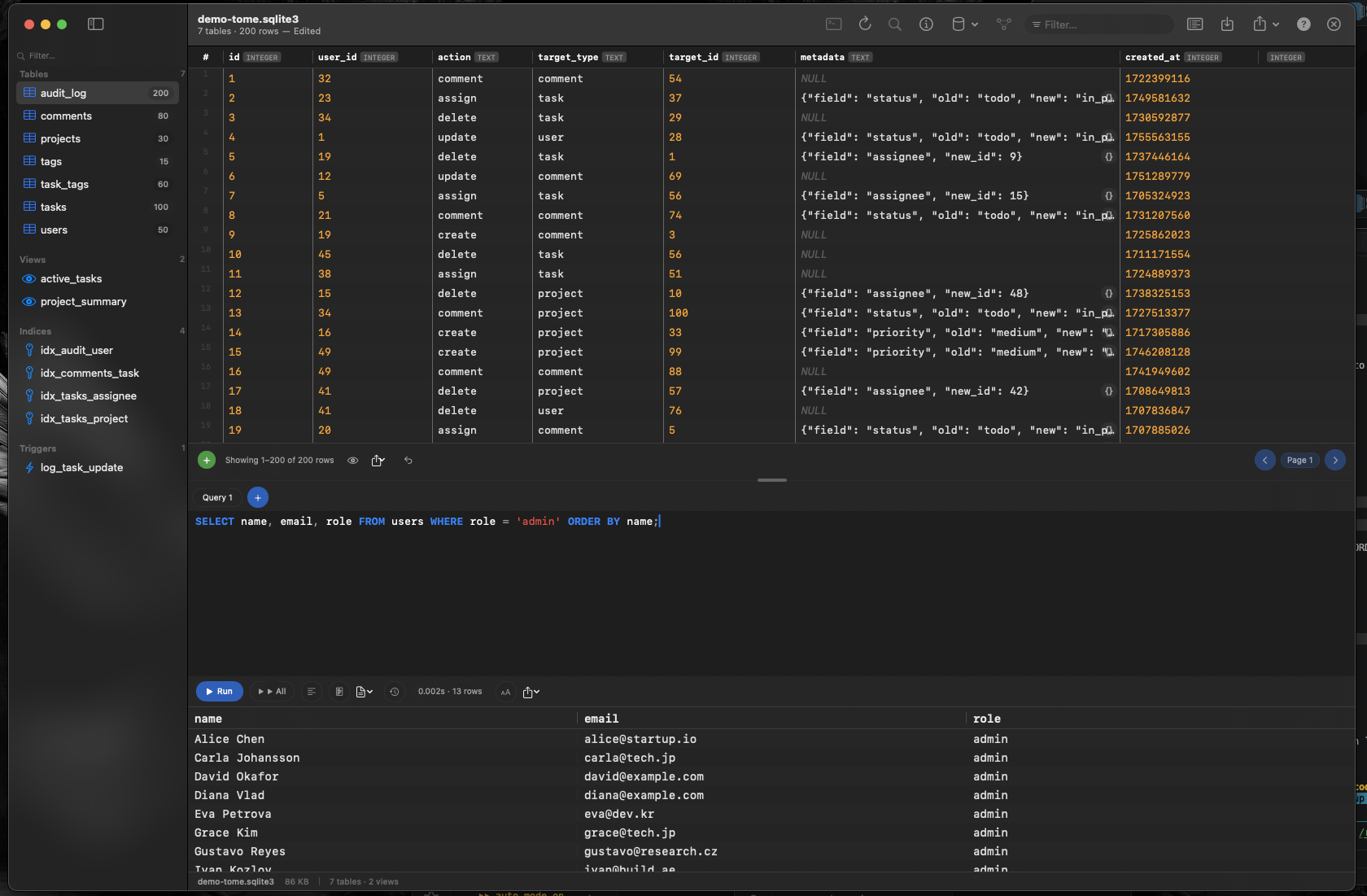
Tome is built with Swift and AppKit — no Electron, no Java, no web views. It uses the same native frameworks as Finder and Preview, resulting in an app that launches instantly, stays lightweight in memory, and feels like it belongs on your Mac.
Sub-Second Launch
No JVM initialization, no Chromium startup. Tome opens faster than the time it takes most Electron apps to show their splash screen. Click the dock icon and your database is ready to browse almost immediately.
Minimal Memory Footprint
Native AppKit table views render thousands of rows using a fraction of the memory a web-based grid would consume. Keep Tome open alongside Xcode, VS Code, and your browser without it competing for resources.
Full Feature Set, Small Package
Being lightweight doesn't mean being limited. Tome includes everything you need for SQLite work: browse tables, views, indexes, and triggers; edit data inline; insert and delete rows; create tables visually; and run SQL queries with syntax highlighting and auto-complete. All in an app that treats your Mac's resources with respect.