Search "clean Mac storage" and you'll find a dozen apps promising to "reclaim gigabytes instantly" with one click. CleanMyMac, MacCleaner Pro, CCleaner — they all promise automated cleanup. But here's the thing: these tools make decisions for you. They scan, flag files as "junk," and offer to delete them in bulk. Sometimes they're right. Sometimes they delete browser data you needed, caches that apps will just rebuild, or files that break applications.
If you're uncomfortable trusting an automated cleaner with your files, you're not wrong to be cautious.
The problem with automated cleaners
- Aggressive upselling — most are subscription-based and constantly push you to upgrade
- Black-box decisions — they flag files as "junk" without explaining why or what happens if you delete them
- Cache deletion is often pointless — apps rebuild caches after deletion, so you briefly free space then lose it again
- Overreach — some request Full Disk Access and run background processes you didn't ask for
- False urgency — "23 GB of junk found!" notifications designed to keep you paying
The alternative isn't to ignore your storage — it's to see what's there and make your own decisions.
See your disk, decide for yourself
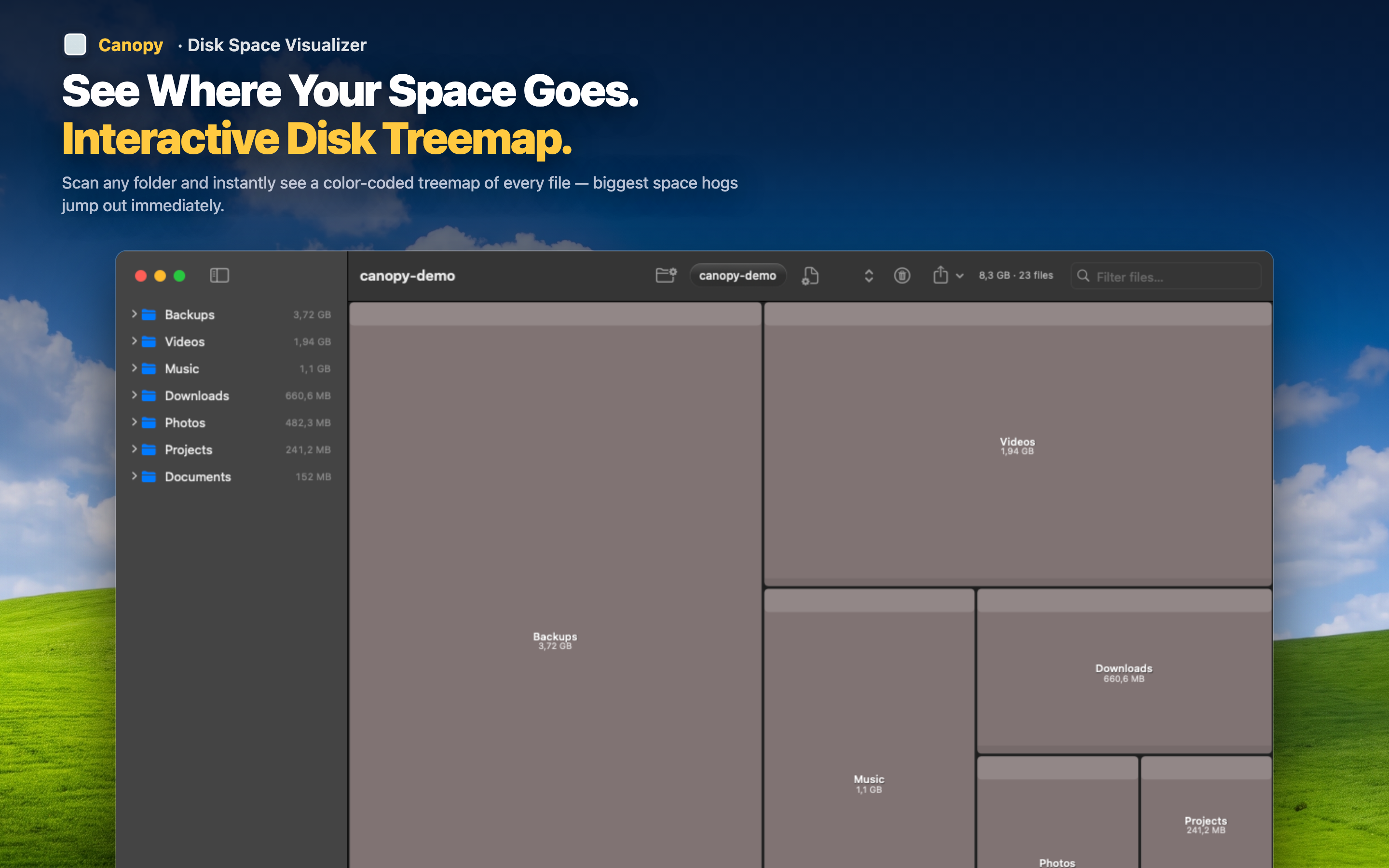
Canopy is a disk space visualizer, not a cleaner. It doesn't flag files as junk. It doesn't make recommendations. It doesn't run in the background or nag you with notifications. It shows you a color-coded treemap of your entire drive and lets you decide what to do.
You stay in control
The treemap shows you what's large. You look at it. You decide if that 8 GB Docker image is something you still use. You decide if those old iOS backups matter. No algorithm making that call for you.
No subscription, no background processes
Canopy is a tool you open when you need it. It scans, shows you the map, and lets you delete what you choose. It doesn't install a menu bar agent, doesn't run scheduled scans, doesn't send you "your Mac needs cleaning" notifications.
Delete from the map
When you find something you want to remove, delete it directly from the treemap. No switching to Finder, no copying file paths. See it, evaluate it, remove it — all in one place.