DaisyDisk has been a go-to disk space tool on macOS for years. Its colorful sunburst chart is distinctive and polished. But if you've used it for serious disk cleanup, you may have noticed some limitations: the circular layout wastes screen real estate, deeply nested folders are hard to read in the outer rings, and comparing sizes between non-adjacent segments isn't intuitive.
If you're looking for a DaisyDisk alternative, the main question is: what visualization layout works better for actually finding and removing large files?
Sunburst vs. treemap
DaisyDisk uses a sunburst chart — concentric rings radiating from the center. It looks great, but has practical limitations:
- Outer rings are thin — deeply nested folders become tiny slivers that are hard to click or read
- Wasted space — the circular layout leaves the corners of the window empty
- Comparison is difficult — comparing the size of two segments on opposite sides of the circle requires mental math on arc lengths
A treemap uses the entire rectangular window. Every pixel represents disk space. Files and folders are drawn as rectangles proportional to their size. Large items are large rectangles — the comparison is immediate and intuitive.
Canopy: treemap-based disk visualization
Canopy uses a treemap layout instead of a sunburst. The result is a denser, more information-rich visualization that uses your full screen to show disk contents.
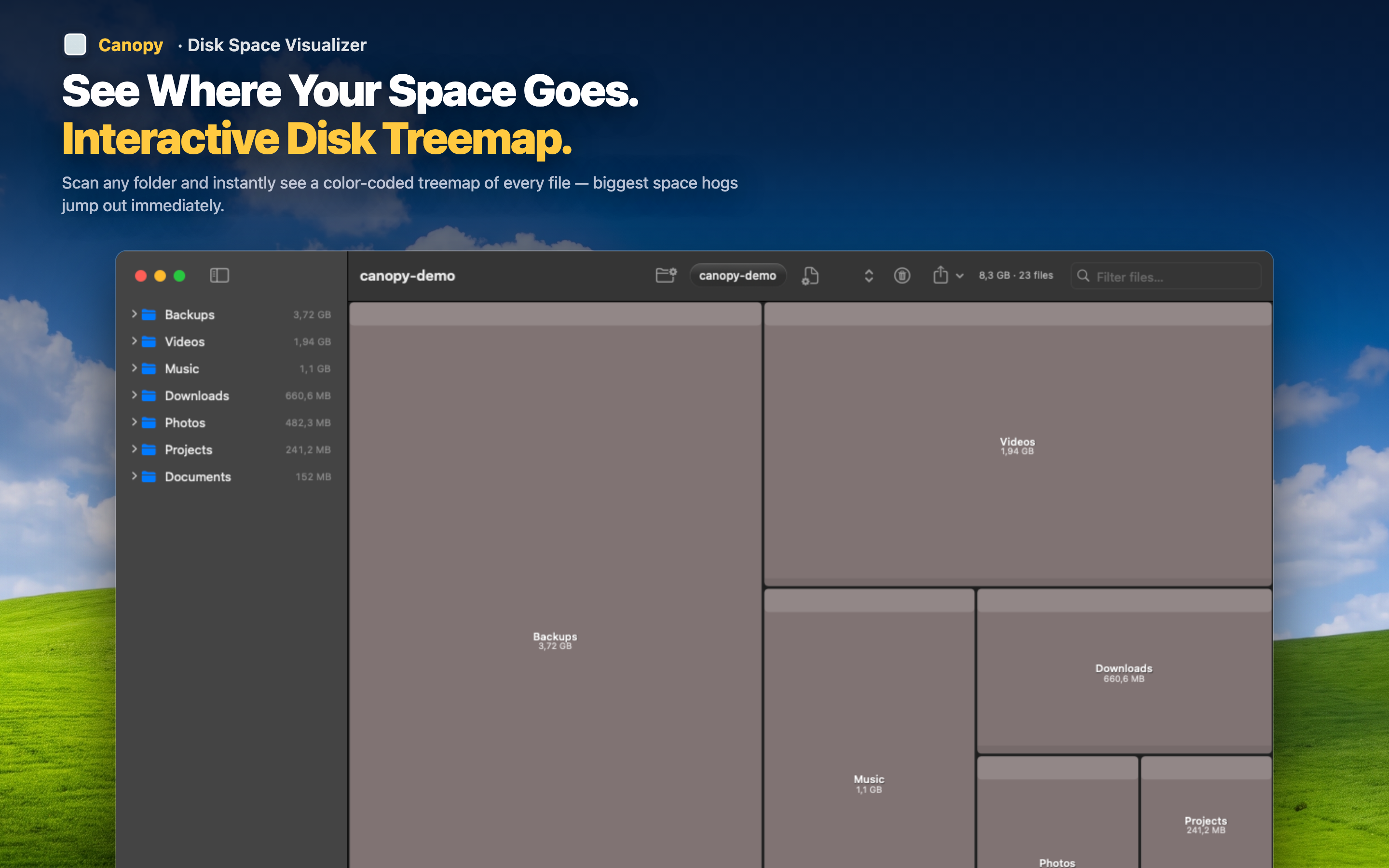
More detail, same screen
Because treemaps tile rectangles without wasted space, you see more files at once. Deeply nested folders get the same proportional treatment as top-level ones — no tiny unreadable slivers in an outer ring.
Direct deletion
Like DaisyDisk, Canopy lets you delete files from the visualization. Identify a space hog and remove it without switching to Finder.
Export options
Canopy can export the treemap as a PNG screenshot or the underlying data as CSV — useful for IT documentation, auditing, or just keeping a record of your disk state before cleanup.
Native performance
Built in Swift for Apple Silicon, Canopy scans fast and stays responsive even on large drives. No Electron, no web views — a native macOS app that feels right at home alongside your other tools.