Your Mac's 256 GB or 512 GB drive is filling up. You know you need to free space, but where do you start? You could open Finder and browse folders, but disk usage is spread across hundreds of directories. You could run du -sh in Terminal, but a wall of numbers doesn't give you an intuitive sense of proportions. What you need is a picture — a visual map that shows your entire drive at a glance.
Humans process visual proportions far faster than number lists. A 14 GB file in a list of hundreds is easy to miss. A 14 GB rectangle dominating the screen is impossible to ignore.
Built-in tools fall short
macOS offers two ways to understand your storage, and neither gives you the visual clarity you need:
Storage bar in System Settings
The colored bar in System Settings > General > Storage shows broad categories (Apps, Documents, System Data) but you can't drill into them. "Documents: 48 GB" tells you almost nothing about which documents or where they are.
Finder column/list view
You can sort by size in Finder, but only within one folder at a time. To understand your whole drive, you'd need to open every folder, check sizes, and mentally aggregate — that's what computers are supposed to do for you.
Treemap visualization with Canopy
Canopy scans your drive and renders an interactive treemap — a rectangular map where every file and folder is drawn proportional to its size. Large items are large rectangles. Small items are small. The visual hierarchy is immediate.
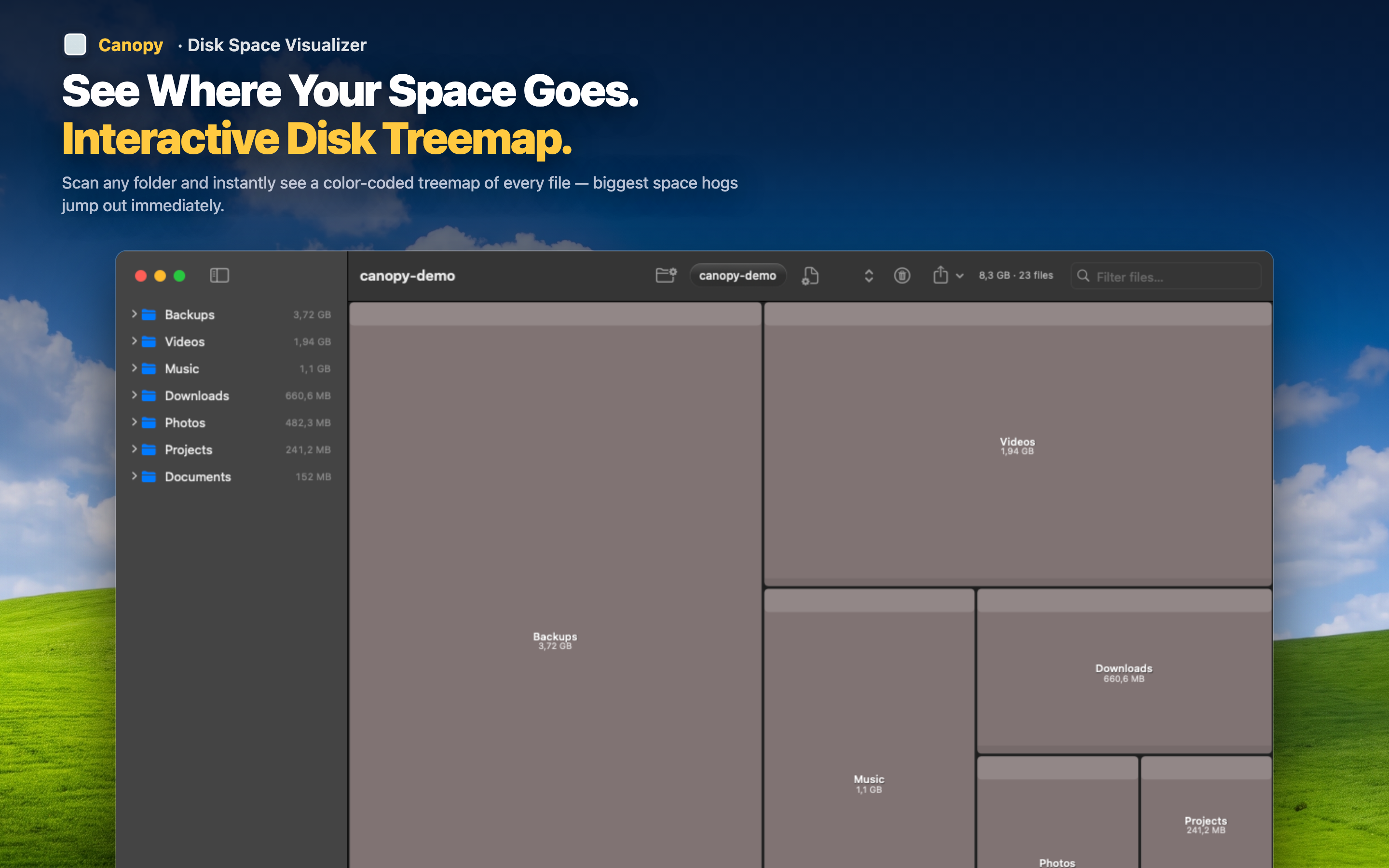
Color-coded file types
Files are color-coded by type — images, videos, archives, code, documents — so you can see at a glance whether your space is going to media files, development assets, or cached data. Patterns emerge immediately: "oh, it's mostly video files in three folders."
Interactive exploration
Click any block to see its path and size. Double-click a folder to zoom in and see its contents in detail. Navigate your entire drive visually — zoom in, zoom out, explore any directory — without ever opening Finder.
From visualization to action
Seeing your disk usage is only useful if you can act on it. Canopy lets you delete files directly from the treemap and export the map as PNG or CSV. Visualize, decide, clean up — one workflow, one app.