Duplicate files accumulate in ways you rarely notice at the time: you download the same PDF twice, Photos keeps an edited copy alongside the original, a project folder gets copy-pasted "just in case" and never deleted, or a backup script saves the same files to two locations. Individually these duplicates seem harmless. Over years, they can add up to tens of gigabytes.
Where duplicates typically hide
- Downloads folder — installers, PDFs, and images downloaded more than once, often named "file (1).pdf," "file (2).pdf"
- Photos Library — edited versions kept alongside originals, or duplicate imports from multiple devices
- Desktop and Documents — "Copy of" files from drag-and-duplicate habits
- Old project folders — entire directories duplicated as backups and forgotten
- Cloud sync conflicts — Dropbox or iCloud creating "(conflicted copy)" versions
Dedicated duplicate-finder apps that hash every file to find exact matches exist, but they can take a long time to scan a full drive and often flag things you'd rather review yourself, like near-identical photo edits.
Spot duplicates visually, then decide
A different approach: instead of automated hashing, use a visual disk map to spot suspicious patterns yourself. Canopy scans your drive and shows every folder as a proportional block in a treemap, which makes duplicated folder structures easy to notice — two similarly sized blocks with matching subfolder patterns are a strong signal of a duplicated project or backup.
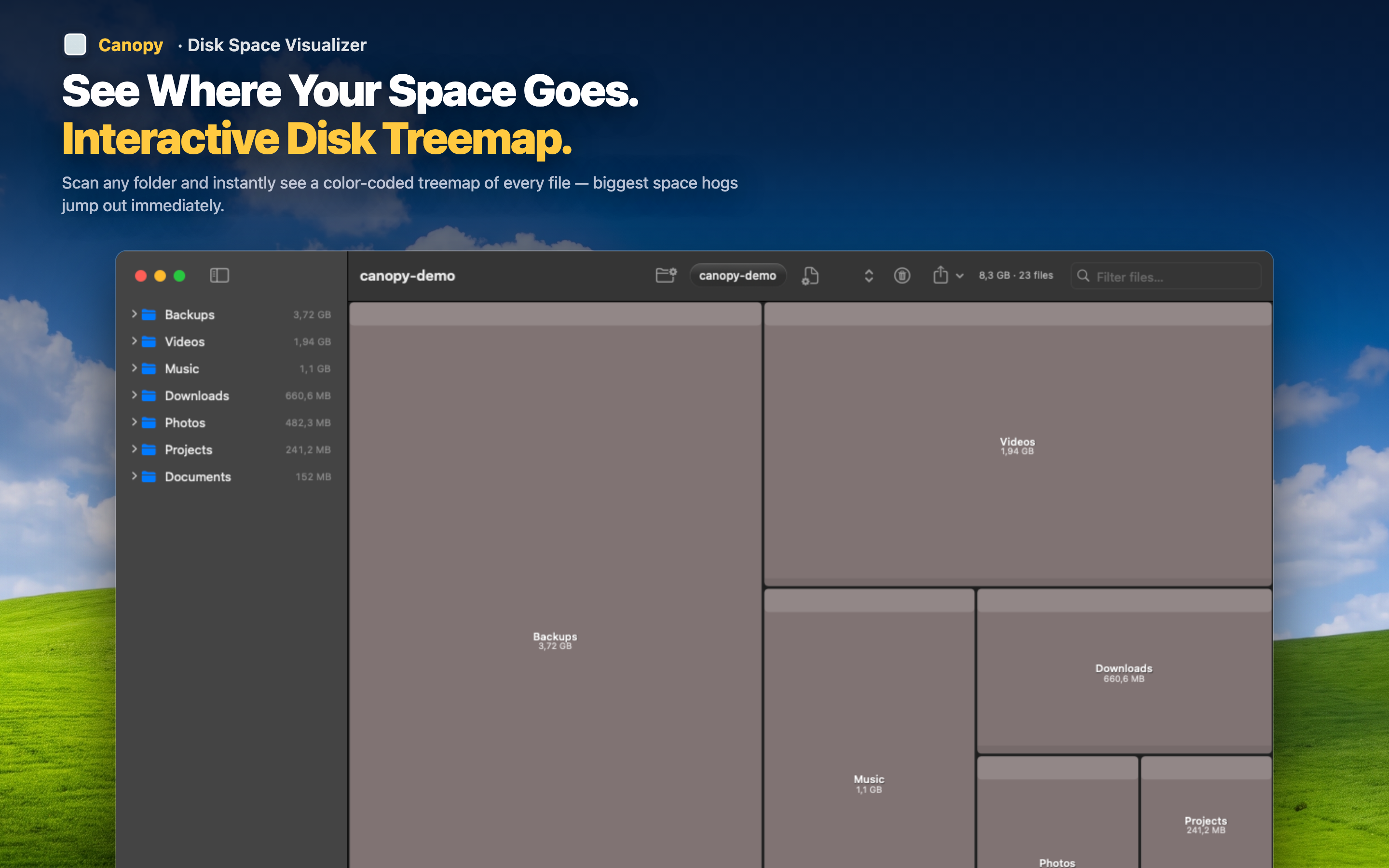
Compare folder sizes at a glance
If you suspect you have two copies of a project or a photo import, zoom into both locations and compare their treemap footprints directly. Matching sizes and structures confirm the duplication.
Review before deleting
Click into either folder to check the actual contents and confirm they're truly redundant before removing anything — safer than trusting an automated hash-match that can't tell you which copy is the one you actually want to keep.
Delete the redundant copy
Once you've confirmed which folder is disposable, delete it directly from the treemap and rescan to see the space returned.