OmniDiskSweeper is one of the oldest free disk utilities for macOS, and it's stuck around because it's simple and it works: it scans a folder or drive and shows a sortable list of files and folders by size, letting you delete directly from the list. For a quick, no-frills look at what's large, it does the job. But the experience feels distinctly dated, and it lacks almost every modern convenience you'd expect from a disk tool in 2026.
Where OmniDiskSweeper shows its age
- List-only view — no visual proportion, just rows of names and sizes you have to read and compare manually
- No color coding by file type — everything looks the same regardless of whether it's a video, an archive, or a code project
- Dated interface — hasn't been meaningfully redesigned to match modern macOS visual conventions
- No export options — no way to save a report of what you found
- Slower scans on modern large drives — not optimized for Apple Silicon
It's free and it still works, which is exactly why so many people default to it. But if you're doing this regularly, a visual tool saves real time over reading list after list.
A visual, modern alternative
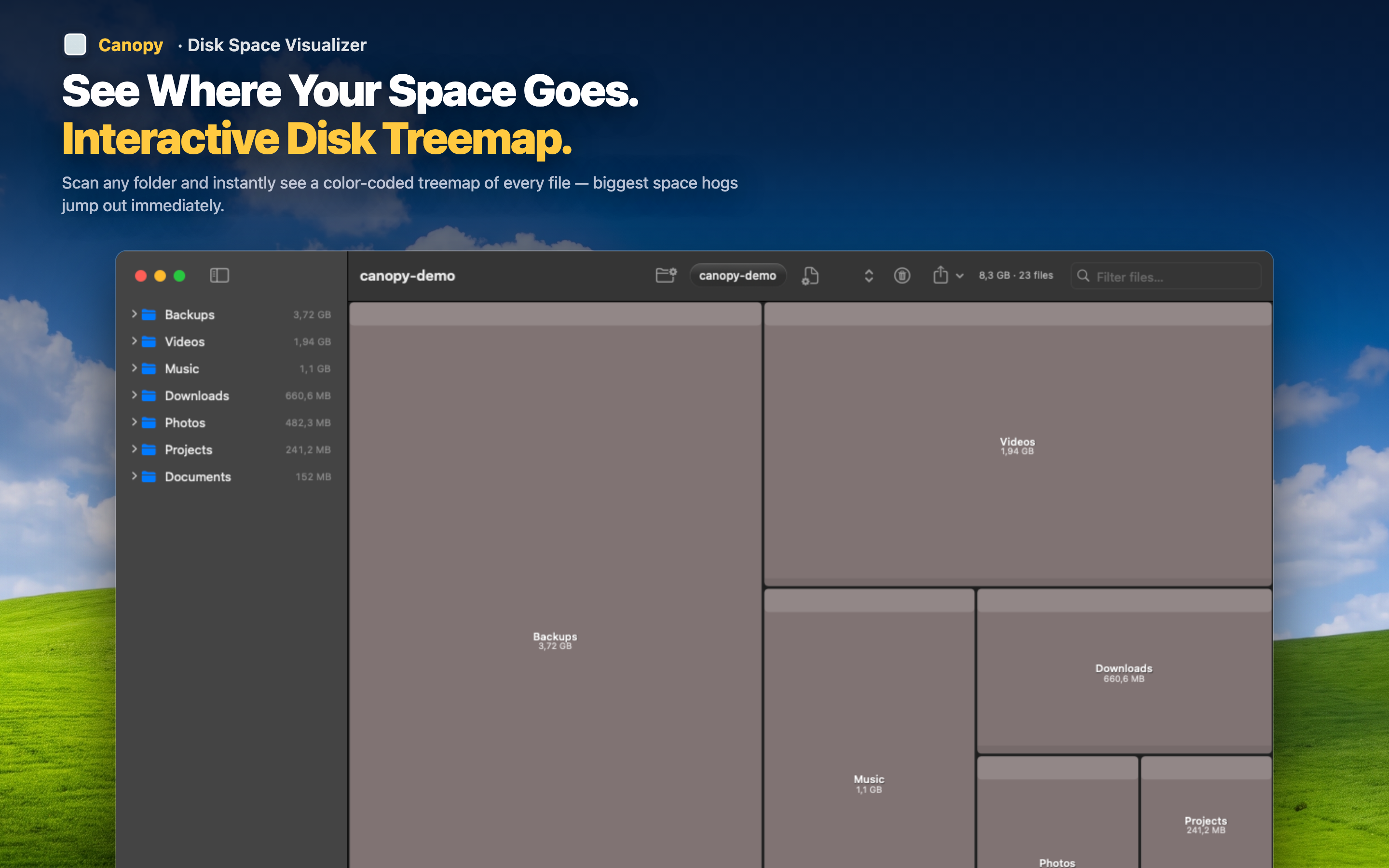
Canopy takes the same core idea — scan, show sizes, delete what you don't need — and replaces the list with an interactive treemap where every block is sized and color-coded by file type, so patterns and outliers jump out visually instead of requiring you to scan text.
What carries over
Like OmniDiskSweeper, you can delete files directly from the results — no switching to Finder. Scanning and cleanup remain a single workflow.
What's new
Proportional visualization means you don't need to read every row to find the big items — they're just visually the largest. Export the treemap as PNG or the data as CSV, something OmniDiskSweeper never offered. And native Apple Silicon performance means scans of large modern drives finish quickly.
Built for how Macs work today
Canopy handles modern file structures — app bundles, containers, developer folders — with the same clarity, giving you a tool that fits current macOS rather than one frozen in an earlier era.