Search for a minimalist calendar app and you'll mostly find apps that are just simplified versions of full calendar software — fewer menus, a cleaner color palette, maybe a nicer font. That's minimal in appearance but not in concept. True minimalism in a tool means asking what job it actually needs to do, then building only that, rather than trimming the edges off a feature-complete app.
For most people, the daily job of a calendar isn't "manage every aspect of my schedule." It's "let me glance at what's happening today without friction." That's a much narrower job than what most calendar apps are built to do.
What minimalism should actually mean here
A genuinely minimal calendar tool for daily use should answer three questions instantly: what's next, how much time do I have, and how do I join if it's a call. Everything else — recurring event rules, multiple calendar color coding, natural language input, scheduling links — belongs in a different tool, one you open occasionally rather than one that lives on screen all day.
Minimalism also applies to screen space. A truly minimal tool shouldn't need a window at all if a slim strip of information can do the job.
A calendar reduced to its essential job
Dayedge is built around that narrow definition. It shows today's events and reminders on a slim timeline pinned to the screen edge — no event creation, no calendar management, no settings beyond the basics. It reads from your existing macOS Calendar, so there's nothing to set up beyond what you already have.
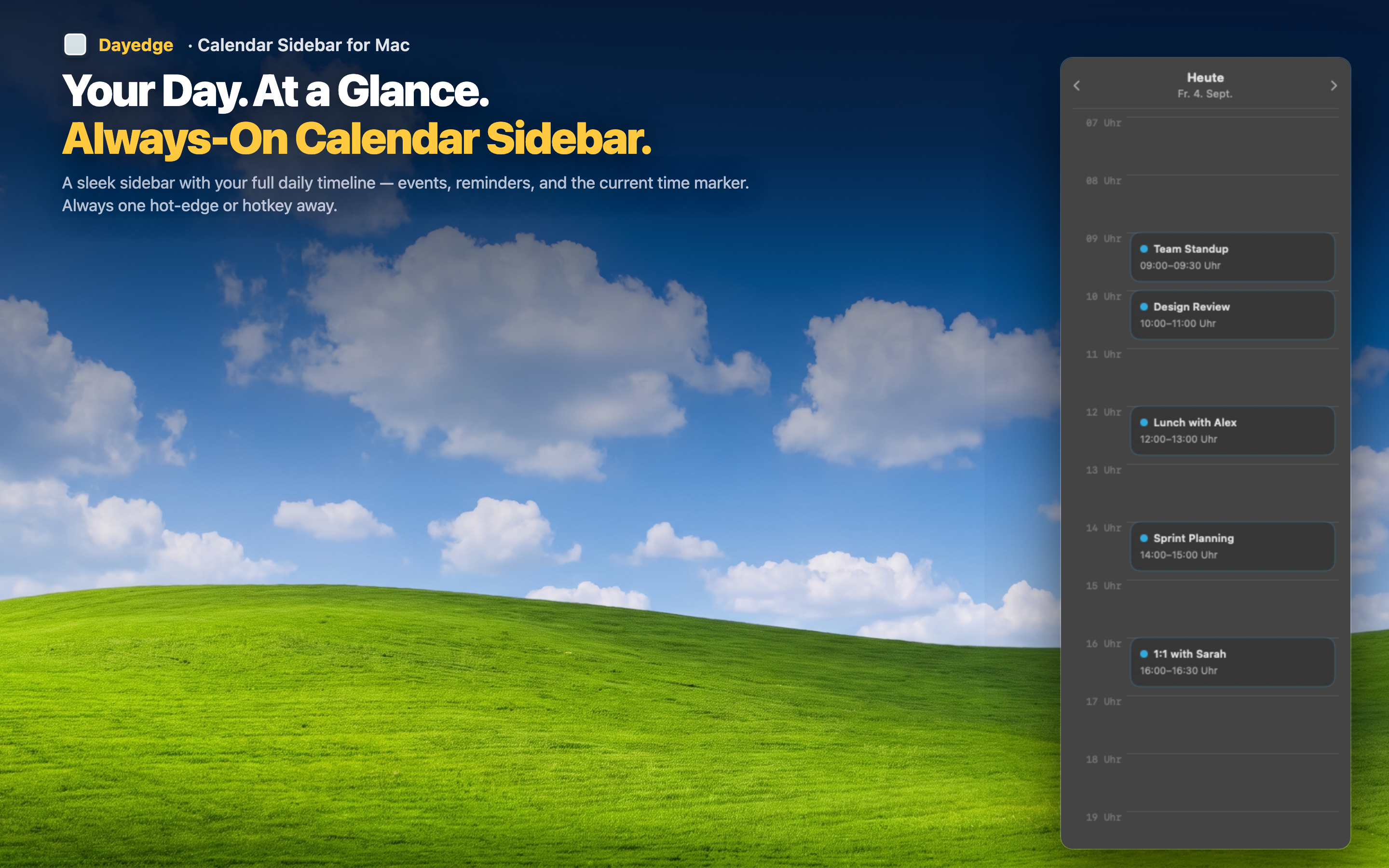
Only the essentials
Event name, time, duration, and — when relevant — a one-click join button for Zoom, Google Meet, or Microsoft Teams. That's the entire feature set for the timeline view, deliberately.
A sliver of screen, not a window
Minimalism extends to screen footprint. The sidebar is narrow by design, and with hot edge activation it can disappear entirely until summoned by a cursor gesture — as close to zero footprint as a persistent tool can get.
A mini calendar, not a full one
For the rare moments you need to check another date, a compact mini calendar is built in — enough to navigate, without turning into a full calendar-management interface.