There's a difference between checking your calendar and being aware of your calendar. Checking requires action — opening an app, reading, closing it. Awareness is passive — like a wall clock, you absorb the information without consciously deciding to look. macOS gives you tools for checking your schedule, but nothing for ambient schedule awareness.
The result: you either interrupt your work to check your calendar, or you miss things because you didn't check in time.
Every calendar option covers your workspace
Open Apple Calendar — it's a full window. Open Fantastical — full window. Open Google Calendar in a browser — full tab. Click the menu bar clock — a popover covers part of your screen and requires active attention. Every option forces a choice: see your schedule or see your work.
This is a design problem. Your schedule is ambient information — like the weather or the time. It should be available at the periphery, not demand center stage. But calendar applications are built as focused tools, not ambient displays.
Schedule at the edge, work in the center
Dayedge treats your schedule as peripheral information. A slim sidebar at the screen edge shows today's events and reminders in a vertical timeline. Your workspace stays fully usable. Your schedule stays fully visible. Neither competes with the other.
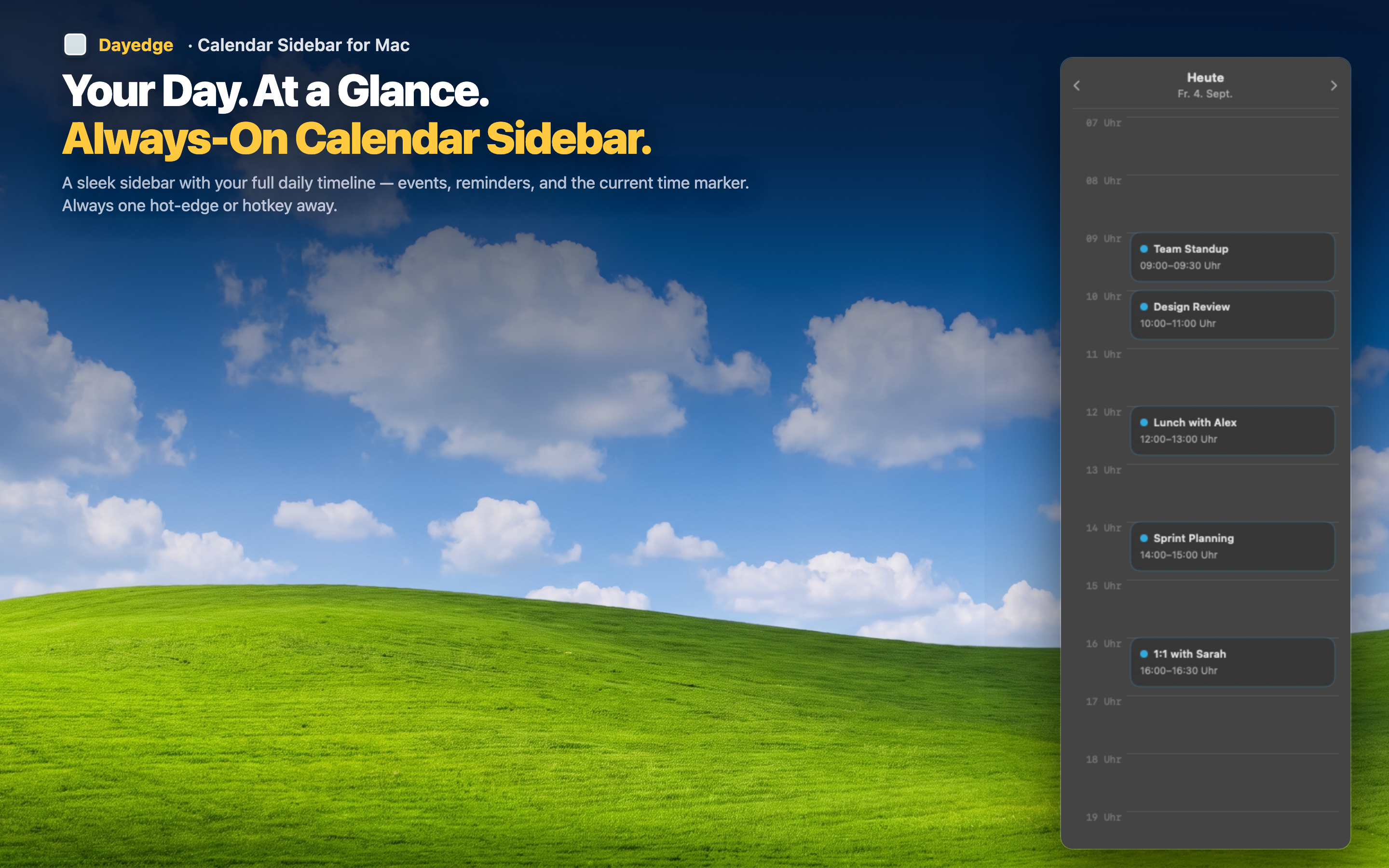
Designed for peripheral vision
The timeline uses clear visual blocks for events so you can absorb your schedule structure at a glance. You don't need to read every event title to know whether the next hour is packed or free. The shape of the timeline tells you.
Never covers your windows
The sidebar pins to the screen edge and your application windows tile next to it. No overlapping, no z-order battles, no "move the calendar window so I can see my code." Dayedge claims a narrow strip at the edge; everything else remains unobstructed.
Reveal on demand with hot edge
For maximum workspace, enable the hot edge feature. The sidebar hides entirely until you push your cursor to the screen edge. Your desktop is 100% workspace until you need your schedule — then it appears instantly with a cursor gesture. No app switching, no shortcuts to remember.