Itsycal earned its fans for a reason: it's small, fast, and replaces the bulky default calendar popover with something cleaner. For years it's been the go-to for Mac users who wanted a lightweight menu bar calendar instead of a heavyweight app. But small still means click-to-open. Itsycal lives in the menu bar as an icon, and until you click that icon, your schedule is invisible.
If you've been using Itsycal and started wondering whether there's something even more passive — a calendar you don't have to click at all — you're asking the right question.
What menu bar icons can't do
Any menu bar calendar, no matter how well designed, shares the same interaction model: icon in the bar, popover on click, dismissal on click-away. That's fine for a quick date lookup. It's less fine when you want ambient awareness of a busy day — checking your schedule ten or fifteen times without breaking flow each time.
Menu bar space is also limited and shared with dozens of other icons. As more apps compete for that strip, individual icons get harder to spot and easier to accidentally overload with clutter.
A sidebar instead of an icon
Dayedge takes a different shape entirely. Instead of a menu bar icon and popover, it's a slim vertical timeline pinned to your screen edge. There's no icon to find, no click to open — your day is simply there, all the time.
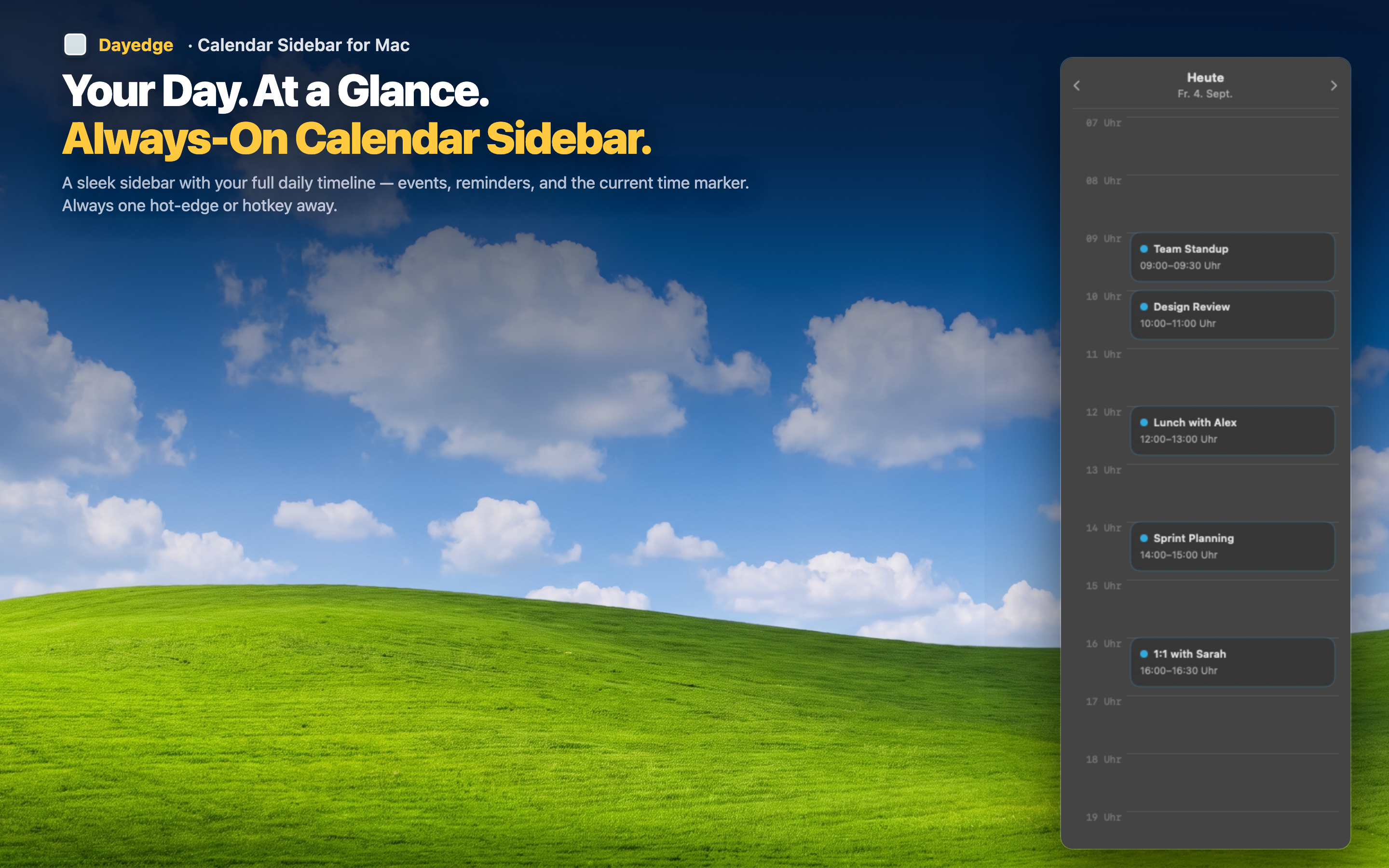
Zero clicks to check your day
The timeline shows event blocks stacked vertically by time. A glance tells you what's next, how long you have, and whether the afternoon is packed or open. No popover to trigger, no menu bar real estate consumed.
Meeting links built in
Where a menu bar calendar shows you an event name and little else, this sidebar extracts Zoom, Google Meet, and Microsoft Teams links automatically and puts a join button right on the event. One click gets you into the call — something no menu bar popover offers out of the box.
Hide it completely when you want to
If part of what you liked about Itsycal was its unobtrusiveness, hot edge activation keeps that spirit alive. The sidebar disappears until your cursor hits the screen edge, then slides into view. Move away and it's gone again — full workspace, zero icons.