If you've customized hot corners on your Mac, you already know how satisfying a well-placed gesture can be. Push the cursor into a corner without even looking, and Mission Control or your desktop appears instantly. No menu, no click, no delay. It becomes so automatic that you stop thinking of it as a "feature" and start thinking of it as just how your Mac works.
That gesture-based instant reveal is a genuinely good interaction pattern. The question is why it's limited to system actions and never extended to information you actually check dozens of times a day, like your schedule.
What a hot edge adds over a hot corner
A hot corner is a single point — precise, but sometimes fiddly to hit exactly, especially on a large display. A hot edge widens that target to the entire length of a screen edge, making the gesture easier to trigger reliably, and better suited to revealing a full timeline rather than triggering a single instantaneous action.
It also fits the shape of the content. A vertical timeline of your day naturally lives along a vertical edge, sliding in and out like a drawer rather than popping open like Mission Control.
Applying the gesture to your calendar
Dayedge builds this exact interaction for your schedule. Move your cursor to the screen edge and a timeline of today's events and reminders slides into view. Move away and it slides back out, leaving your desktop completely clean.
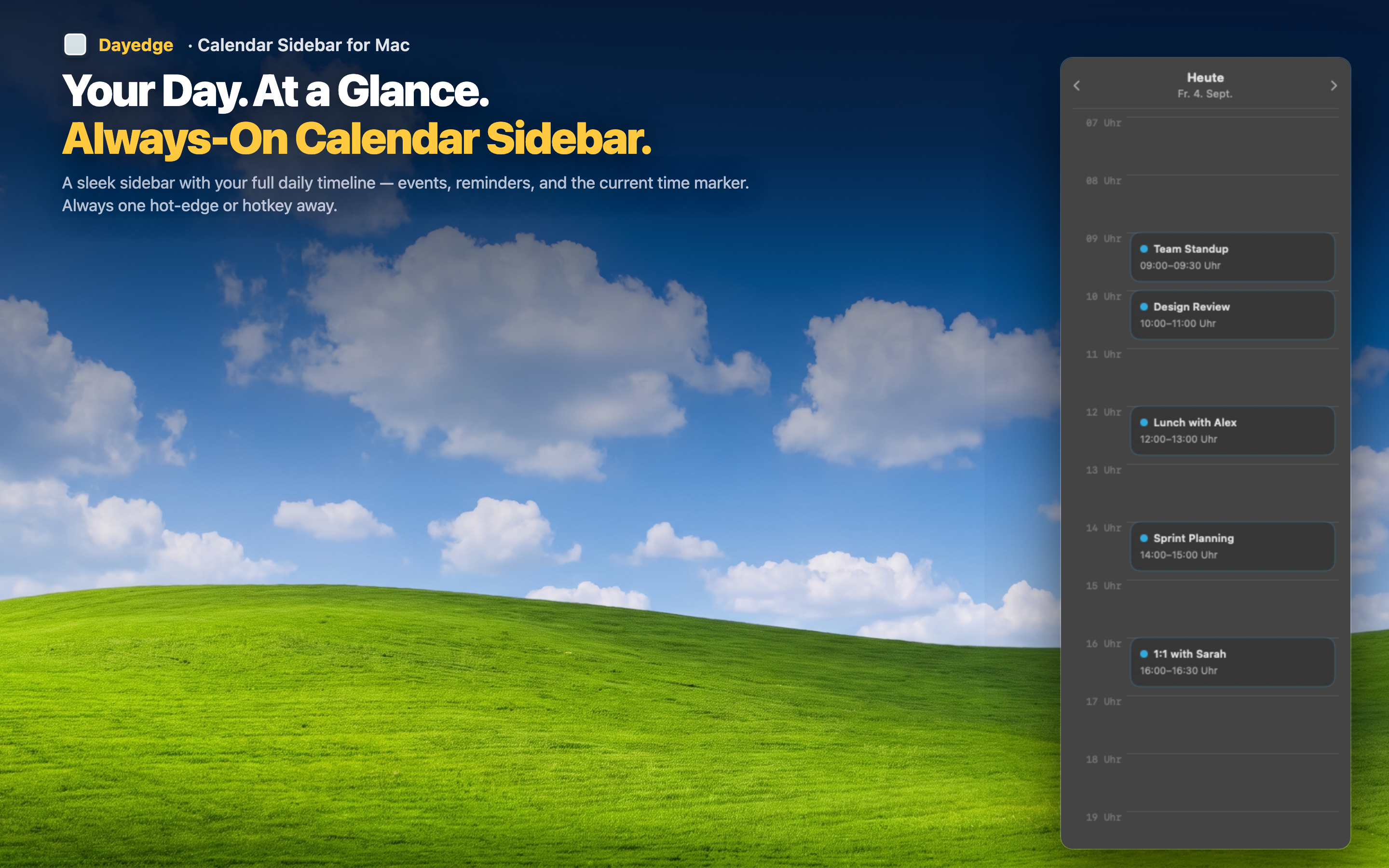
Instant, gesture-based reveal
There's no click, no keyboard shortcut to memorize, no icon to locate. The same cursor motion that feels natural for hot corners applies here — just aimed at your schedule instead of a system panel.
Full workspace when hidden
Because the sidebar only appears on demand, your screen stays entirely clear the rest of the time. You get the benefit of an always-available calendar without permanently sacrificing screen space.
Or pin it permanently
If you'd rather have the timeline visible at all times instead of gesture-activated, that option exists too — hot edge is a preference, not a requirement.