For years, BetterZip was the go-to solution for previewing archive contents on Mac. Its Quick Look generator let you press Space on a ZIP file in Finder and see the file listing without extracting. It was a must-have utility for power users.
But BetterZip is a full-featured archive manager — compression, extraction, encryption, splitting, and more. If all you want is the Quick Look preview, you're installing a complex application for one feature. And as macOS evolves, some users have found BetterZip's Quick Look plugin less reliable on newer system versions.
What made BetterZip's Quick Look plugin great
The appeal was simple: press Space on an archive in Finder and see its contents. No extraction, no app launch, no extra steps. It turned Quick Look from useless (for archives) to essential. The plugin showed file names, sizes, and folder structure — exactly what you need to decide whether to extract.
The problem is that BetterZip bundles this feature inside a much larger application. The app itself includes:
- Archive creation with password protection
- Multi-format extraction (ZIP, RAR, 7z, TAR, and more)
- Archive splitting and merging
- Finder integration for compression workflows
If you use all of that, BetterZip is excellent. If you just want the Quick Look preview — which is the most common use case — it's more than you need.
A focused Quick Look extension for archives
Loupe does the one thing most people installed BetterZip for: it shows archive contents when you press Space in Finder. ZIP, RAR, 7z, TAR, .tar.gz, .tar.bz2 — all supported. Plus folder previews, which BetterZip didn't offer.
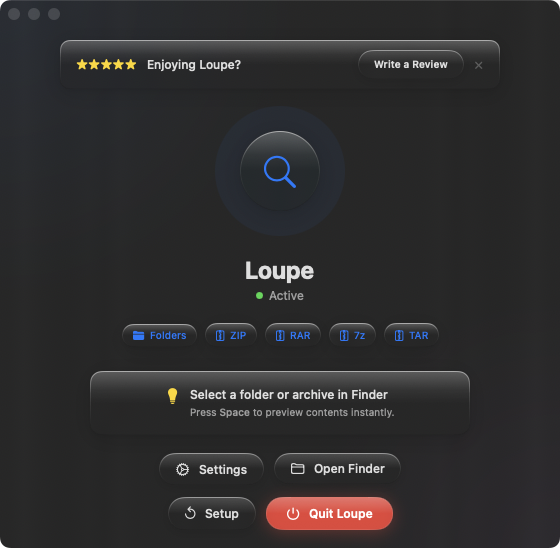
Lighter footprint
Loupe is a Quick Look extension, not a full archive manager. It doesn't extract, compress, or modify archives. It previews them. If you need extraction, macOS handles ZIP natively, and tools like The Unarchiver handle the rest. Loupe fills the preview gap without duplicating functionality you already have.
Built for modern macOS
Loupe uses Apple's current Quick Look extension API, designed for the latest macOS versions. It integrates cleanly with Finder and doesn't require workarounds or legacy plugin architectures.
Folder previews as a bonus
Beyond archives, Loupe also lets you press Space on any folder to see its contents as a tree view. It's a feature that complements archive previews naturally — both let you see inside containers without opening them.