Disk images — .dmg files — are the standard distribution format for Mac software. You download one, double-click it, wait for macOS to mount it, drag the app to your Applications folder, and then unmount the disk image. It works, but it's a multi-step process even when you just want to know what's inside.
Maybe you have several DMGs in your Downloads folder and can't remember which app each one contains. Or you downloaded a DMG from a developer's site and want to verify its contents before mounting. macOS gives you no way to peek inside without going through the full mount-and-browse cycle.
The disk image inspection problem
When you select a DMG in Finder and press Space, Quick Look shows you the file name, size, and format — but nothing about the contents. You can't see the app inside, any included documentation, or the folder structure. The only option is mounting the image, which takes several seconds for large files and adds a virtual disk to your desktop.
For anyone managing a Downloads folder full of installers and disk images, this means mounting and unmounting repeatedly just to identify files. It's the same problem as ZIP files — an opaque container that macOS refuses to preview.
Preview archives and folders with Quick Look
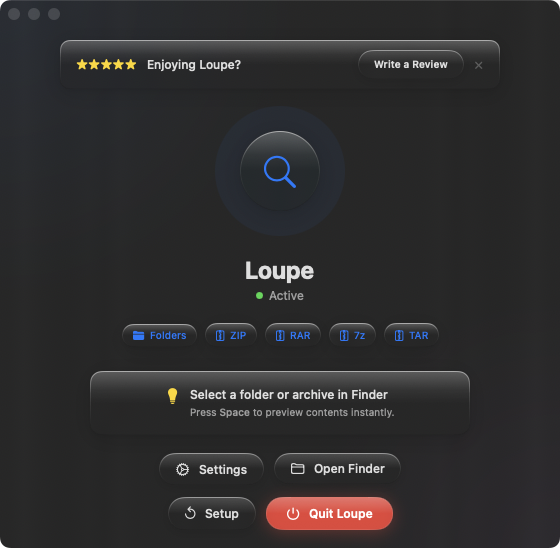
While DMG files require specialized handling due to their disk image format, the broader problem of previewing compressed containers has a solution. Loupe extends Quick Look to preview ZIP, RAR, 7z, TAR, .tar.gz, and .tar.bz2 archives, as well as folder contents. If your software arrives in archive format rather than a DMG, you can preview it instantly with Space.
Software distributed as ZIP
Many developers distribute Mac software as ZIP files instead of DMGs. If you download a ZIP containing an app, press Space to see the contents before extracting. Confirm it's the right version and the expected app is inside — no extraction needed.
Build artifacts and releases
Development builds, beta releases, and CI artifacts often ship as ZIP or TAR archives. Instead of extracting each one to find the binary you need, preview the archive contents with Quick Look. Identify the right build in seconds.
Keeping Downloads organized
A cluttered Downloads folder with a mix of DMGs, ZIPs, and TAR files is easier to manage when you can preview the compressed ones without mounting or extracting. Arrow through the files with Quick Look open and identify each archive's contents at a glance.