If you develop software on a Mac, your daily workflow involves a constant stream of compressed files and deeply nested directories. You download ZIP releases from GitHub. You receive .tar.gz build artifacts from CI. You navigate project folders with dozens of subdirectories. And for all of these, Finder's Quick Look — the single most useful preview feature on macOS — is completely useless.
Press Space on a ZIP? File name and size. Press Space on a .tar.gz? File name and size. Press Space on your project's root folder? Folder name and item count. No file listings, no directory trees, no way to quickly assess what's inside without opening or extracting.
The developer's preview problem
Developers deal with archives far more than average users. Consider a typical day:
- GitHub releases — downloading ZIP or TAR archives of tagged releases. Which version has the binary you need? Extract and check, or check the release notes and hope they're accurate.
- CI artifacts — build pipelines produce .tar.gz or ZIP files. You pull them down and need to verify the right files were packaged before deploying.
- Dependency caches — node_modules archives, framework downloads, SDK packages. Large compressed files that you'd rather inspect before extracting.
- Project folder navigation — moving between repositories, checking directory structures, verifying build outputs landed in the right place.
In each case, the information you need is structural: what files exist, how they're organized, whether the expected outputs are present. Quick Look could answer these questions instantly — if it supported archives and folders.
Preview archives and project trees instantly
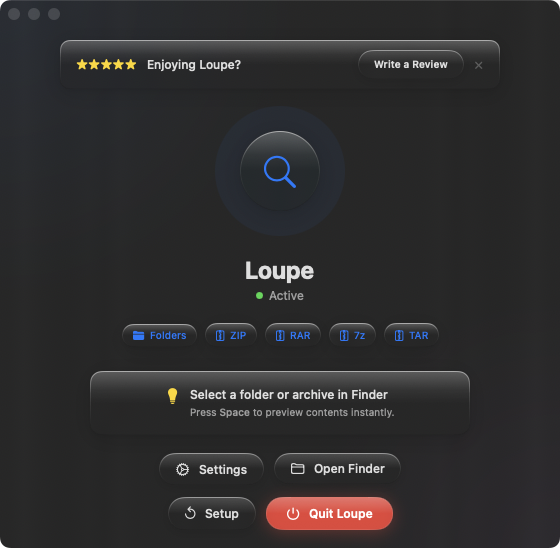
Loupe extends Quick Look to handle the file types developers encounter most. ZIP, TAR, .tar.gz, .tar.bz2, RAR, and 7z archives all show their full contents as a tree when you press Space. Folders show their complete directory tree. No extraction, no Terminal commands, no context switching.
Verifying build artifacts
Your CI pipeline produced a .tar.gz. Before deploying, select it in Finder and press Space. Confirm the binary, configuration files, and assets are all included. If something's missing, you know immediately — no extraction needed.
Inspecting release archives
You downloaded a ZIP from a GitHub release page. Press Space to see every file inside, verify the version matches what you expect, and confirm the directory structure is correct — all without unpacking.
Navigating project structures
Select your project's root folder and press Space to see the full directory tree. Useful for refreshing your mental model of a codebase, checking that generated files landed in the right directories, or verifying a clean project structure before committing.