If you use a Mac, you've probably pressed Space hundreds of times today. Select a photo — Space — instant preview. Select a PDF — Space — full document. Select a video — Space — it starts playing. Finder's Space bar preview (Quick Look) is one of those features that becomes muscle memory within days.
Then you select a ZIP file and press Space. You get the file's name and its size. That's all. The most natural, intuitive preview gesture on macOS falls completely flat for one of the most common file types you encounter.
The gap in Space bar previews
Quick Look was introduced in Mac OS X Leopard and has been expanded with every macOS release since. Apple has added support for increasingly complex file types — 3D models, augmented reality files, Swift playgrounds. But compressed archives have never been included.
The inconsistency is jarring. You can press Space on a .pages file and see a fully rendered document. You can press Space on a .mov and watch a video. But press Space on a .zip and you see less information than Finder's list view already shows you.
This means that for archives, you lose the Quick Look workflow entirely. Instead of previewing, you're forced to extract — a slower, messier operation that creates files on disk.
Bring Space bar previews to archives
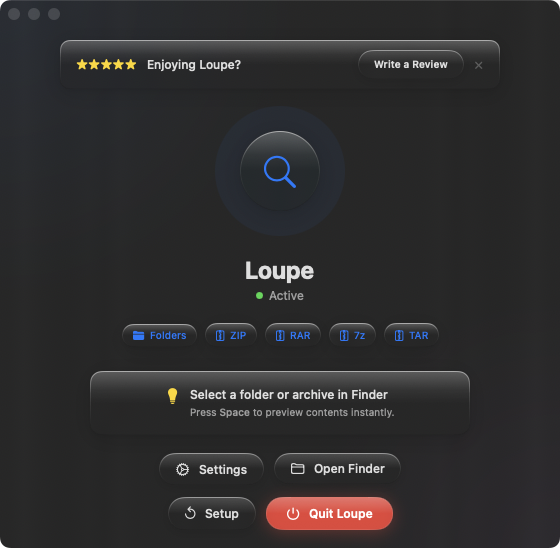
Loupe fills this gap. Once installed, pressing Space on any archive file — ZIP, RAR, 7z, TAR, .tar.gz, .tar.bz2 — shows the full contents as a tree view, right in the Quick Look panel.
Your workflow stays the same
Loupe doesn't introduce a new app or a new gesture. You keep doing exactly what you've always done — select a file, press Space. The difference is that archives now show useful information instead of a blank preview.
Arrow-key browsing works
One of Quick Look's best features is that you can press the arrow keys to cycle through files while the preview is open. With Loupe, this works for archives too. Navigate through a folder of mixed files — images, PDFs, ZIPs, RARs — and each one previews as you arrow through them.
Folders get previews too
Loupe also extends Space bar previews to folders. Select a folder, press Space, and see the full file tree inside. Two of Finder's biggest preview blind spots — archives and folders — handled by one extension.