Keka is one of the most popular archive tools for Mac. It handles compression and extraction for a wide range of formats — ZIP, 7z, TAR, RAR, and more. It's reliable, well-designed, and powerful. But if your main need is checking what's inside an archive before extracting, Keka requires you to open the full application and start the extraction process to see the contents.
Many users install Keka not because they need advanced compression features, but because macOS doesn't provide a way to preview archive contents. They want to answer one question — what files are in this archive? — and end up with a full archive manager.
The preview gap that Keka doesn't fill
Keka excels at what it's designed for: creating and extracting archives. But it doesn't integrate with Quick Look. You can't select an archive in Finder, press Space, and see its contents. The Finder-native preview workflow — the one you use for images, PDFs, and documents — doesn't extend to archives, even with Keka installed.
To see inside an archive with Keka, you need to:
- Open Keka or drag the file to its icon
- Wait for the application to read the archive
- Browse the contents in Keka's interface
It works, but it's a context switch. You leave Finder, interact with a separate application, then return to Finder to continue your work. For someone who just wants a quick peek at the contents, it's more friction than necessary.
Preview archives without leaving Finder
Loupe stays inside Finder where you're already working. Select a ZIP, RAR, 7z, TAR, .tar.gz, or .tar.bz2 file, press Space, and the contents appear in the Quick Look panel. No app to switch to, no window to manage, no workflow interruption.
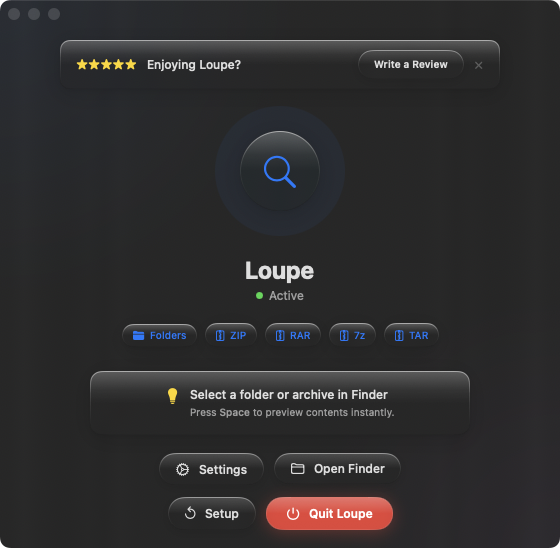
Use alongside Keka
Loupe doesn't compete with Keka — it handles a different job. Use Loupe to preview archive contents in Quick Look. When you decide to extract, use Keka (or macOS Archive Utility for ZIPs). Preview with Space, extract with Keka — each tool doing what it does best.
Faster for quick checks
When you just want to know "what's in this archive?" — no extraction needed — Loupe answers in one keystroke. Press Space, scan the tree view, close the preview. You never left Finder, and the entire check took one second.
Folder previews as a bonus
Beyond archives, Loupe also adds Quick Look previews for folder contents. Select a folder, press Space, and see its full file tree. The same one-keystroke inspection workflow, applied to folders as well as compressed files.