Quick Look is one of macOS's most underrated productivity features. Press Space on a file in Finder and you get an instant preview — no app launch, no import dialog, no waiting. It works beautifully for images, PDFs, videos, Markdown, and dozens of other file types.
But there's a category of files that Quick Look ignores entirely: compressed archives. ZIP, RAR, 7z, TAR — press Space on any of them and you get a blank preview with just the file name. No contents, no structure, nothing actionable.
What's missing from Quick Look
macOS ships with Quick Look generators for a wide range of file types, but archives aren't among them. This means:
- ZIP files — show file name and size only, despite macOS being able to extract them natively
- RAR files — show a blank icon, since macOS doesn't handle RAR at all
- 7z files — same blank icon treatment
- TAR / .tar.gz / .tar.bz2 — metadata only, no file listing
Apple has never added archive previewing to Quick Look, despite it being one of the most requested features. Quick Look extensions — third-party plugins that extend what Quick Look can preview — are the only solution.
Loupe: archive and folder previews for Quick Look
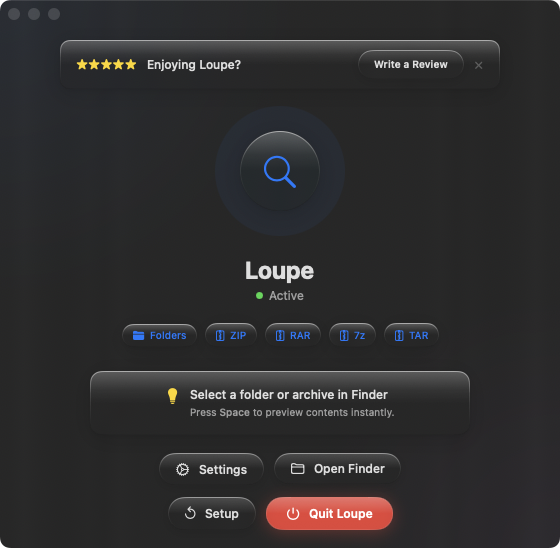
Loupe is a Quick Look extension built specifically for this gap. It adds preview support for all major archive formats and folders in one lightweight package.
Supported formats
Loupe previews ZIP, RAR, 7z, TAR, .tar.gz, and .tar.bz2 files. It also adds folder content previews, which Quick Look doesn't provide by default. Select any of these in Finder, press Space, and you see a full tree view of the contents.
Native Quick Look integration
Loupe isn't a standalone app you have to switch to. It's a Quick Look extension that plugs directly into Finder. Your existing workflow — select file, press Space — stays exactly the same. The preview just shows useful information now.
Lightweight and focused
Some archive tools try to do everything: extraction, compression, encryption, format conversion. Loupe does one thing — it shows you what's inside an archive or folder without extracting or opening anything. It stays out of your way.