Quick Look is one of the best features on macOS. Select a file in Finder, press Space, and you get an instant preview — images, PDFs, videos, text files, even spreadsheets. It saves an enormous amount of time by letting you check files without opening any application.
But Quick Look has a blind spot: compressed archives. Select a ZIP file and press Space, and all you see is a generic icon with the file name and size. No file listing. No folder structure. Nothing useful.
What Quick Look shows for ZIP files
By default, macOS Quick Look renders ZIP, RAR, 7z, and TAR files as opaque containers. You get metadata — file name, file size, date modified — but zero information about the contents. It's the equivalent of looking at a sealed box and being told how much it weighs.
This is surprising because Quick Look supports dozens of file types out of the box, including complex formats like Keynote presentations and 3D models. Archives, despite being one of the most common file types exchanged between people, get no preview at all.
The only way to see what's inside is to extract the archive. For ZIP files, that means double-clicking and waiting for macOS to decompress everything into a new folder.
Making Quick Look work with archives
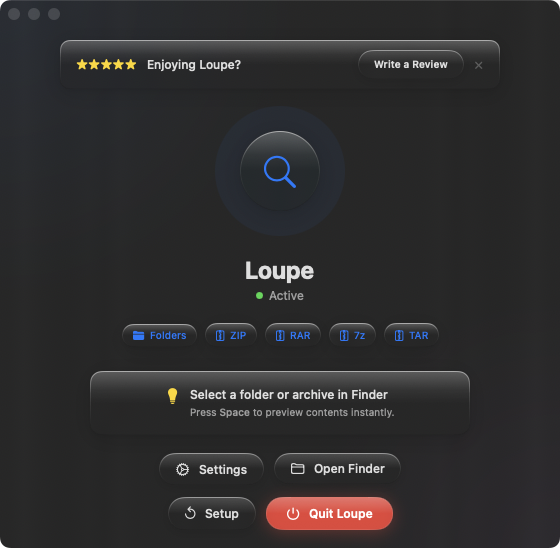
Loupe extends Quick Look to treat archives the way it treats every other file type — as something you can actually preview. Install it once, and every ZIP, RAR, 7z, and TAR file becomes previewable with Space.
The same workflow you already use
There's nothing new to learn. You already press Space to preview files. With Loupe installed, that same gesture now works for archives. Select a ZIP in Finder, press Space, and you see a tree view of everything inside — file names, sizes, and folder hierarchy.
Works across Finder views
Quick Look previews work in list view, column view, icon view, and gallery view. Loupe's archive previews work in all of them too. You can also use the arrow keys to flip through multiple archives in sequence, previewing each one without extracting anything.
Folder previews included
Loupe doesn't just handle archives. It also extends Quick Look to preview folder contents — select a folder, press Space, and see its file tree without opening it. Two blind spots in Quick Look, fixed with one extension.