Someone sends you a .rar file. Or you download an asset pack compressed as .7z. You double-click it on your Mac and nothing happens — or macOS tells you there's no application to open it. Unlike ZIP files, macOS has no built-in support for RAR or 7z archives.
So you install an extraction tool, extract the entire archive, realize it's not the file you needed, and delete everything. For large archives, this wastes significant time and disk space.
The RAR and 7z problem on macOS
macOS natively handles ZIP and a few TAR variants, but RAR and 7z are completely unsupported. You can't extract them, you can't preview them, and Quick Look shows nothing but a blank icon. This is frustrating because RAR and 7z are extremely common:
- RAR is still widely used for large file distributions, game mods, and file-sharing communities
- 7z offers better compression ratios than ZIP and is popular for software distributions and asset packs
Most Mac users install a tool like The Unarchiver or Keka to extract these formats. But extraction is all-or-nothing — you can't peek inside first. If you just want to know what files are in a 4 GB RAR archive before extracting it, you're out of luck.
Preview RAR and 7z contents without extracting
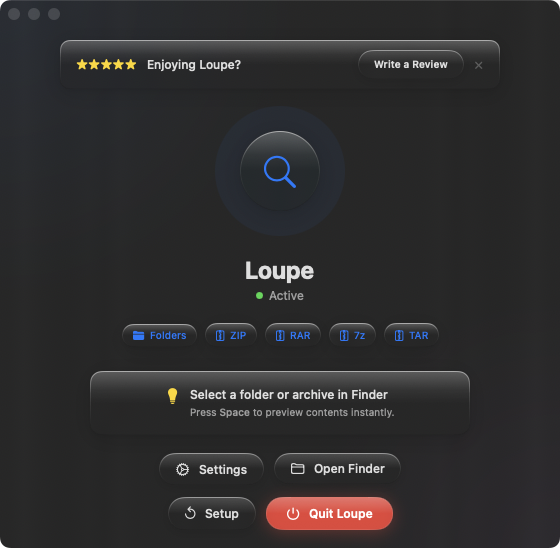
Loupe brings Quick Look support to RAR and 7z files on Mac. Select any .rar or .7z file in Finder, press Space, and see the full file listing — names, sizes, and folder structure — without extracting a single byte.
Checking asset packs
You downloaded a 7z file containing a font family or icon set. Before extracting 500 files, press Space to confirm the pack includes the weights or sizes you need. Wrong pack? Move on without wasting time.
Verifying multi-part RAR archives
RAR archives are sometimes split into multiple parts. Quick Look the main .rar file to see the full file listing and confirm the archive contains what you expect before committing to a lengthy extraction.
Triaging downloads
Your Downloads folder has a mix of ZIP, RAR, and 7z files from various sources. Loupe handles all of them with the same Space-bar gesture, so you can preview any archive format without switching tools or workflows.