The Unarchiver is one of the most popular utility apps on the Mac. It supports dozens of archive formats — ZIP, RAR, 7z, TAR, and many more — and makes extraction effortless. You double-click an archive, choose where to extract, and it handles everything. For basic extraction, it's excellent.
But The Unarchiver has a significant limitation: it can't show you what's inside an archive before extracting. There's no "browse contents" mode, no preview panel, no way to inspect the file listing without committing to extraction. You're making a blind decision every time.
Why preview-first matters
Extraction is an irreversible action in the sense that it consumes time and disk space. On a large archive — a 4 GB game mod collection, a 2 GB design handoff — extraction can take minutes. If the archive turns out to be the wrong version or doesn't contain what you need, that time is wasted.
The Unarchiver's workflow is: extract first, inspect after. What's missing is the reverse: inspect first, extract only if needed. This preview-first approach avoids unnecessary extractions entirely.
Other archive tools like BetterZip offer content browsing, but they're full-featured archive managers with price tags and complexity to match. If all you want is a quick look at what's inside, you shouldn't need a heavy application.
Add Quick Look previews alongside The Unarchiver
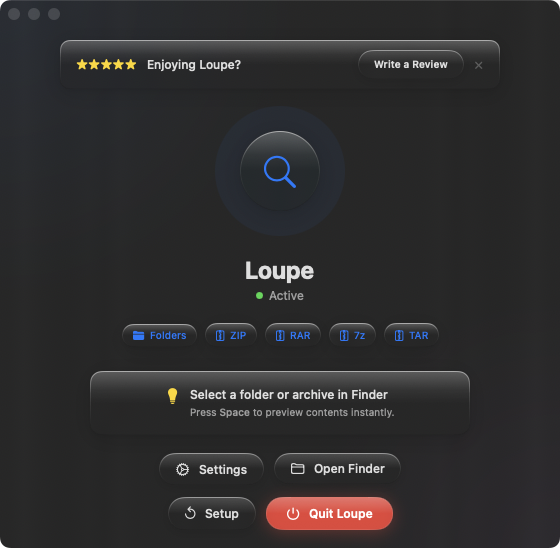
Loupe doesn't replace The Unarchiver — it complements it. Loupe adds the preview step that The Unarchiver is missing. Select any archive in Finder, press Space, and see the full contents as a tree view. If you decide to extract, double-click the file and let The Unarchiver handle the rest.
Preview, then decide
The workflow becomes: select archive, press Space to preview contents, then either extract (if the contents are right) or move on (if they're not). The preview step takes one second and can save you minutes of unnecessary extraction and cleanup.
All the formats you already use
Loupe previews ZIP, RAR, 7z, TAR, .tar.gz, and .tar.bz2 — the same core formats The Unarchiver extracts. Your format coverage stays the same; you just gain the ability to preview before committing to extraction.
Plus folder previews
Beyond archives, Loupe also previews folder contents with the same Space-bar gesture. Select a folder, press Space, and see its full file tree. It's a natural extension of the same idea — see what's inside before opening.