A Better Finder Rename has been around long enough to become the default recommendation whenever someone asks how to batch rename files on Mac. It is capable — regex, multiple rename actions, presets — and it has earned its place. But "capable" and "pleasant to use" are not the same thing, and a lot of users open it, see the dense list of tabs and options, and immediately feel like they need a manual just to change a file extension.
What makes people look for alternatives
The complaints tend to repeat across reviews and forum threads:
- The interface relies heavily on dropdown menus and dense option panels rather than a visual layout
- Building a multi-step rename means configuring several tabs, not visibly stacking steps you can see and reorder
- The design has not been significantly modernized in years, which makes simple tasks feel more technical than they need to be
- New users often need a tutorial before they can confidently rename their first batch
None of this means the app does not work — it does. But if you rename files occasionally rather than as a core part of your job, the learning curve can feel disproportionate to the task.
What a smoother alternative looks like
Renym covers the same ground — find and replace with regex, sequential numbering, insert and remove, case changes — through a visual pipeline you build by adding steps, rather than configuring settings across multiple tabs.
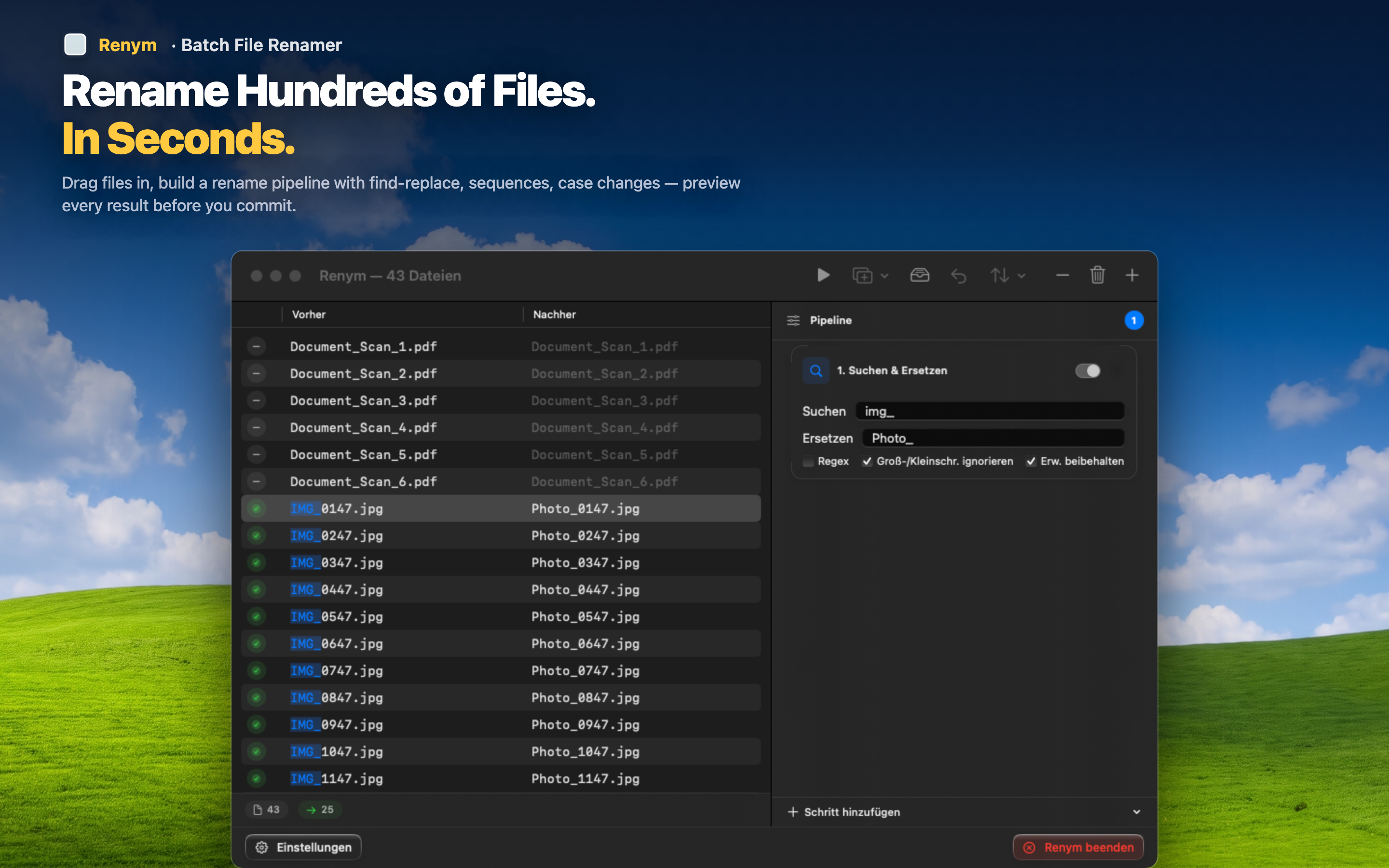
See your steps, not just settings
Every rename action appears as a visible block in the pipeline. You can look at the sequence and immediately understand what will happen, without opening a settings panel to check.
Drag files in directly
No file-selection dialog to navigate. Drag files from Finder straight into the app and start building your pipeline.
Preview and undo, always available
Every file shows its current and future name before you commit, and a full undo is available if the result is not what you expected.
If you have used A Better Finder Rename and found it more work than the task deserved, this is worth trying instead.