Search for a "bulk rename utility for Mac" and you will find a mix of old Terminal-based guides, a few paid apps with decade-old interfaces, and Finder's built-in option that only goes so far. Picking the right one depends less on which app has the longest feature list and more on what your actual renaming tasks look like week to week.
What to actually evaluate
Most bulk rename discussions focus on feature checklists — does it support regex, does it do sequential numbering, does it handle case changes. Those matter, but they miss the practical questions that determine whether you will actually enjoy using the tool:
- Can you see the result before committing? A tool without a live preview means every rename is a small gamble.
- Can you undo a mistake? Batch operations on hundreds of files need a safety net.
- How many steps does it take to combine operations? Real-world renaming rarely needs just one transformation.
- Is dragging files in supported, or do you need a file picker every time?
Finder covers the basics but fails the first two points outright — no full preview, no lasting undo. Terminal-based approaches fail all four unless you are comfortable scripting. Older dedicated apps often check the boxes on paper but bury the workflow in dense menus.
A visual approach to bulk renaming
Renym is built around answering those four questions well: a visual pipeline of stacked actions, a live before-and-after preview for every file, full undo, and drag-and-drop input.
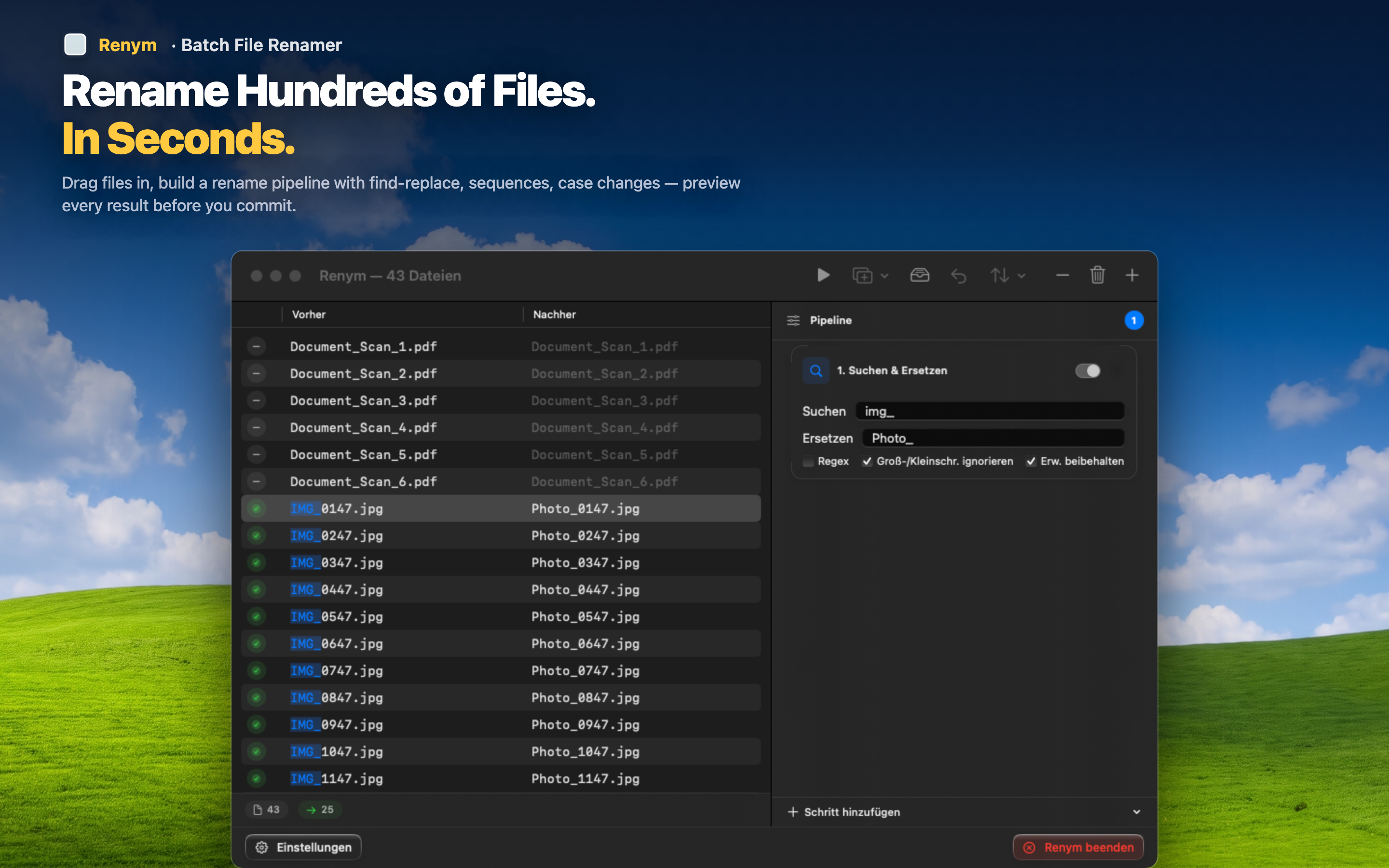
Every action is visible and reorderable
Find/replace, regex, sequential numbering, insert, remove, and case changes are all available as pipeline steps you can stack, reorder, and edit individually.
Preview scales with your batch
Whether you are renaming ten files or a thousand, the preview list shows the current and future name for every single one, not just a sample.
Mistakes are recoverable
Applied a rename that did not turn out right? Undo reverts the whole batch so you can adjust the pipeline and try again, rather than manually fixing files one at a time.
The best bulk rename utility is the one that lets you trust the result before you commit to it. That is the bar worth judging any tool against.