Every camera, whether it is a DSLR, mirrorless, or your iPhone, dumps files with names like IMG_4872.JPG, DSC_0034.CR2, or P1040291.RW2. These names mean nothing. When you have 400 photos from a wedding shoot or a product session, scrolling through meaningless numbers to find the right image is a waste of time.
You want names like "Johnson_Wedding_001.jpg" or "Product_Shoot_March_001.CR2" — something you can actually search and sort. But renaming 400 files by hand is not happening.
Why Finder is not enough for photo renaming
Finder's batch rename can add sequential numbers and replace text, but photographers need more:
- Strip the original camera prefix (IMG_, DSC_, etc.) and replace it with a custom name
- Add zero-padded sequential numbers (001, 002, 003 instead of 1, 2, 3)
- Preserve file extensions while changing everything else
- Handle mixed formats from the same shoot (JPG + RAW)
- Preview all 400 names before committing to the rename
Finder can do some of these, but not all at once, and never with a live preview of the full batch.
Renaming photo batches with a pipeline
Renym handles photo renaming with a visual pipeline that lets you chain operations together. Here is a typical photo renaming workflow:
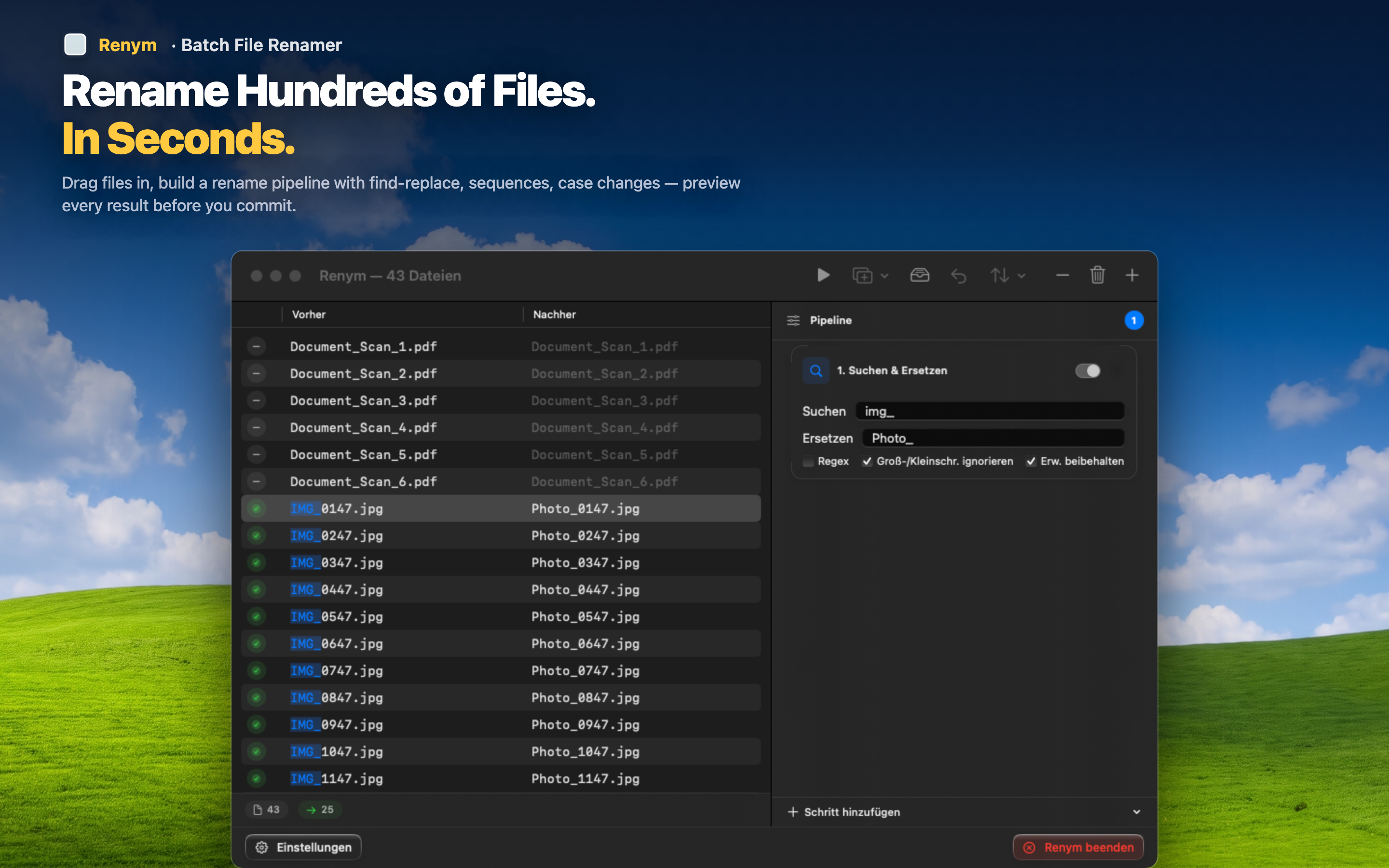
Step 1: Strip the camera prefix
Use find and replace to remove "IMG_" or "DSC_" from every file name. This works on the entire batch at once.
Step 2: Insert a descriptive name
Add your own prefix — the client name, project name, or shoot description. Every file in the batch gets the same prefix.
Step 3: Add sequential numbering
Append zero-padded numbers so files sort correctly. 001, 002, 003 instead of 1, 10, 100, 2, 20 — which is what you get without zero-padding.
Live preview before you commit
Every step updates a live preview column. You see "IMG_4872.JPG" on the left and "Johnson_Wedding_001.JPG" on the right. No guessing, no mistakes, no manually fixing 400 files after a bad rename.
If something looks wrong, reorder the steps, adjust a parameter, or remove a step entirely. The preview updates instantly.