Apple added batch renaming to Finder years ago, and for simple tasks it is fine. Select files, right-click, "Rename X Items," pick an option, done. But if you have ever tried to do something slightly more complex — remove characters from a specific position, chain two rename operations, or use a pattern match — you have hit the wall. Finder's rename is a starter tool, and it has not meaningfully improved in years.
What Finder rename can do
To be fair, Finder covers three basic operations:
- Replace Text: Find a string and replace it with another. Works on all selected files at once.
- Add Text: Prepend or append a string to every file name.
- Format: Apply sequential numbers with a custom prefix. Choose a start number and step.
For renaming "Report" to "Invoice" across ten files, or adding a date prefix, this is perfectly adequate.
Where Finder rename falls apart
No regex or pattern matching
Finder's replace is literal text only. You cannot match patterns like "any digit" or "everything after the last underscore." If your file names vary in structure, Finder cannot help.
No multi-step operations
You get one operation per rename. If you need to replace text AND add a number AND change case, you have to run three separate rename operations, selecting the files each time.
No real preview
Finder shows a sample of the first file's new name in the rename dialog, but you cannot see the full list of before-and-after names. For 200 files, you are trusting that one sample represents the whole batch.
No character removal by position
Need to remove the first 4 characters from every file name? Or the last 8? Finder has no operation for this. You would need to manually construct a replacement, and even then it only works if those characters happen to be identical across all files.
No undo for batch renames
If you rename 500 files and the result is wrong, Command-Z will undo it — but only immediately after. Close the Finder window or do another operation, and the undo history is gone. You are left fixing names manually.
What to use instead
Renym picks up exactly where Finder stops. It gives you every operation Finder has — plus regex, character removal by position, case changes, multi-step pipelines, and a full before-and-after preview for every file in the batch.
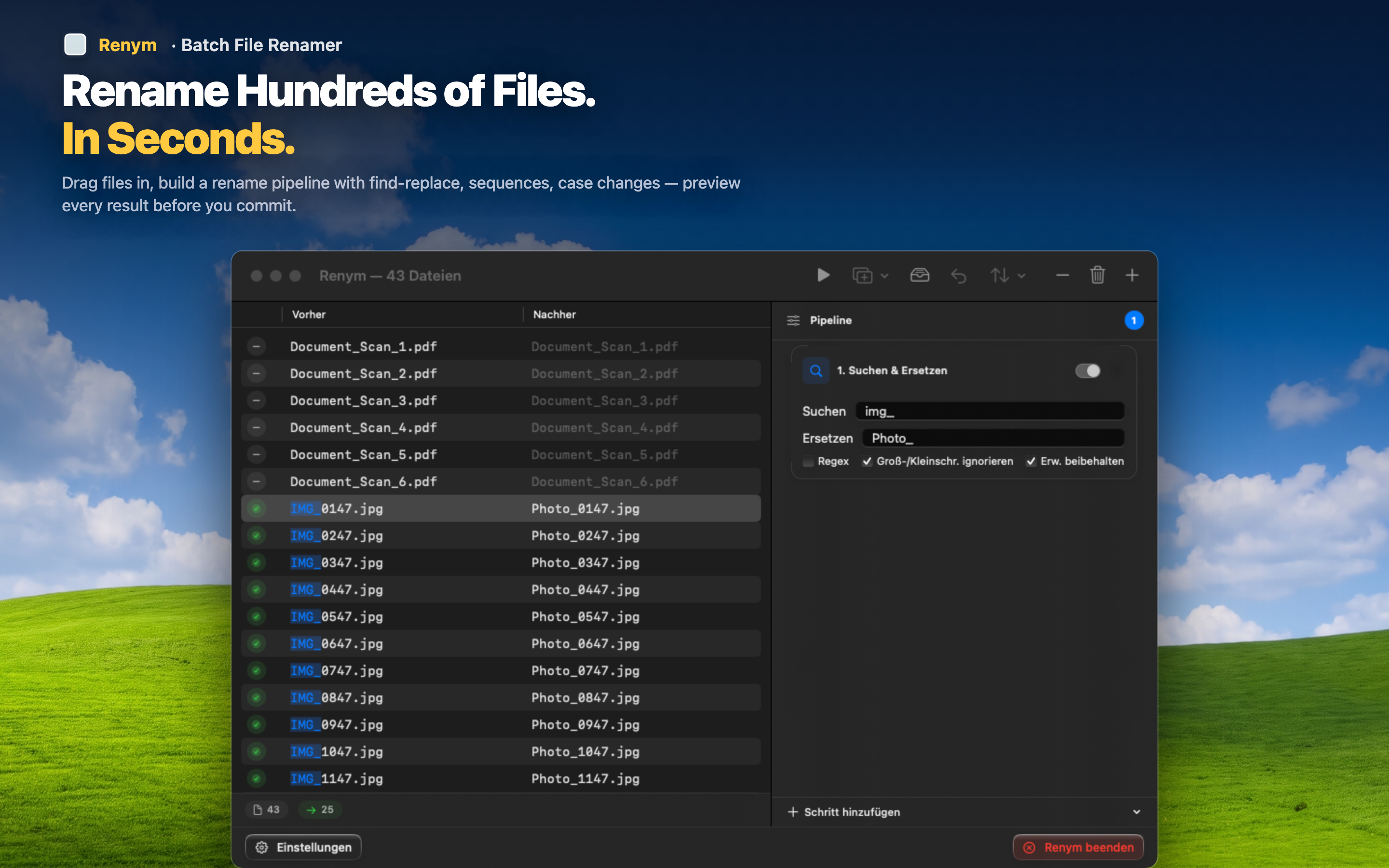
You build a pipeline of rename actions, reorder them, preview the result on every file, and apply when you are satisfied. If you are not satisfied, undo the entire batch and adjust. No guessing, no repeated selections, no praying that 500 files came out right.
Finder rename is fine for the 10% of renaming tasks that are trivial. For everything else, you need a real tool.