A developer exports 200 HTML files with a .txt extension. A photographer receives RAW files saved as .jpg. A data pipeline outputs CSV files with no extension at all. The content is fine — the extension is wrong. And a wrong extension means the file opens in the wrong app, gets filtered out of searches, or breaks an automated workflow.
You need to change the extension on all of them. Not one at a time. All at once.
The Finder approach
Finder technically lets you change extensions — but only one file at a time. Right-click, "Get Info," change the extension in the name field, confirm the dialog that warns you about changing the extension. For 200 files, this takes an absurd amount of time.
Finder's batch rename can do a text replacement, so you could replace ".txt" with ".html" — but this is fragile. If any file has ".txt" elsewhere in its name (like "notes_txt_backup.txt"), the replacement will hit the wrong occurrence. Finder does not distinguish between "the extension" and "text that happens to match."
The Terminal approach
A simple bash command handles this:
for f in *.txt; do mv "$f" "${f%.txt}.html"; done
Fast and effective — but no preview, no undo, and one mistake in the command means 200 files with mangled names. If you forget the quotes and a file name has spaces, the result is unpredictable.
Batch extension changes with preview
Renym handles extension changes as part of its rename pipeline. You can target the extension specifically, without affecting the rest of the file name.
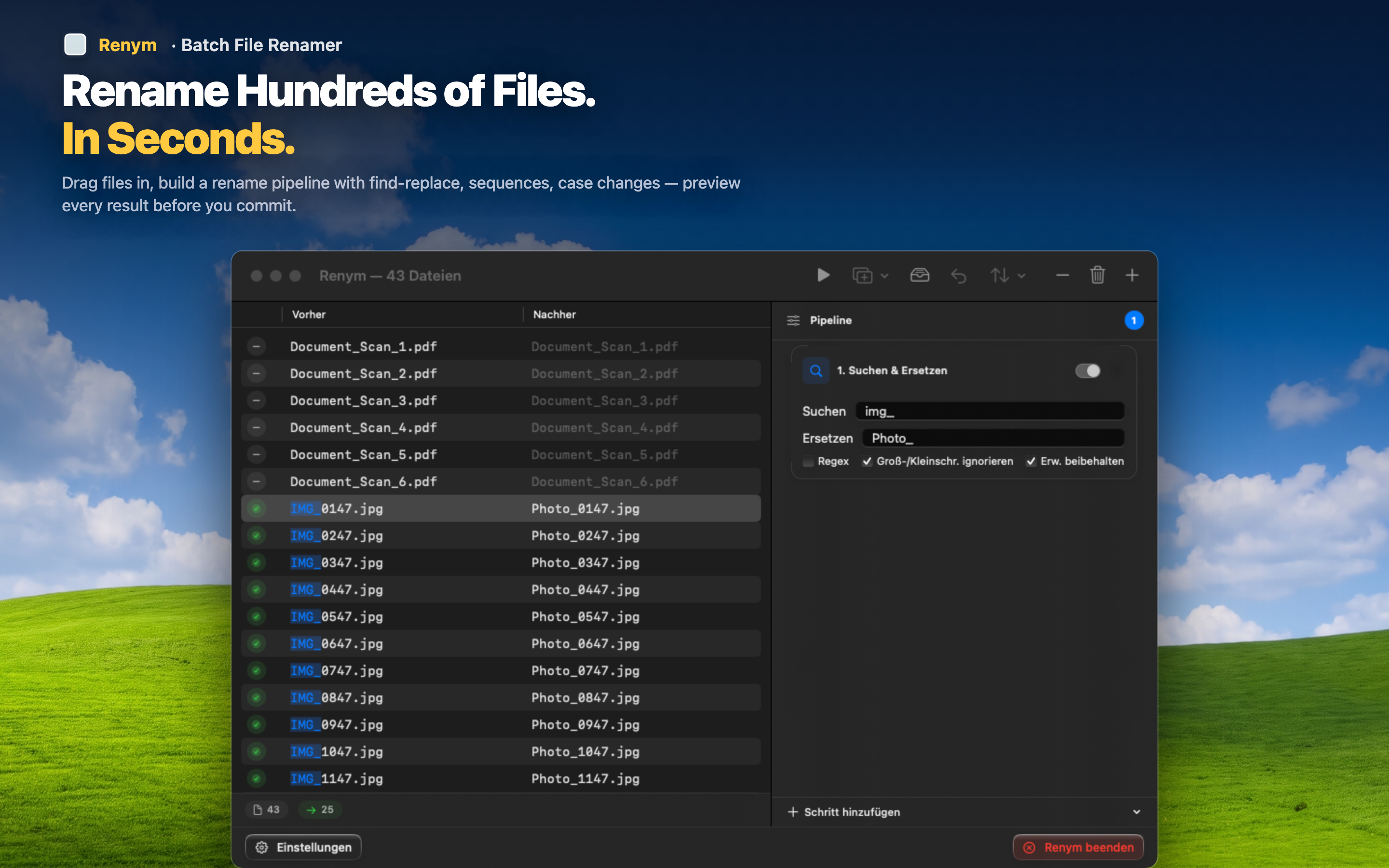
Replace the extension safely
Use find and replace with a regex anchored to the end of the name to change only the extension, not matching text in the file name itself. The preview shows you exactly what will change on every file before you apply.
Add a missing extension
Files with no extension? Append ".csv" or ".json" or whatever the correct extension should be. The insert action adds text at the end of the file name, after the last character.
Combine with other cleanup
Often, extension problems come alongside other naming issues. Fix the extension and clean up the file name in the same pipeline — strip prefixes, normalize case, add numbering — all in one pass.
Undo if needed
Changed 200 extensions and realized you picked the wrong one? Undo the entire batch. Fix the pipeline and apply again. No manually renaming 200 files back to their original extensions.