You have a Finder window open with the files you need to rename. You know exactly which ones. Now you need to get them into a renaming tool. If that tool makes you go through a file picker dialog — navigate to the folder, select the files again, click Open — you are doing double the work for no reason.
Drag and drop is the fastest way to get files into any tool. Select in Finder, drag to the app, drop. The files are loaded and you are ready to rename. It sounds obvious, but not every renaming tool supports it well.
Why drag and drop matters for renaming
Batch renaming is already a task you want to finish as quickly as possible. Every extra step — opening a file picker, navigating directories, re-selecting files you already had selected — adds friction. Drag and drop removes that friction entirely.
It also lets you be selective. Maybe you do not want every file in the folder — just the 30 you selected in Finder. Drag those 30 in. No need to filter inside the renaming tool.
How Renym handles drag and drop
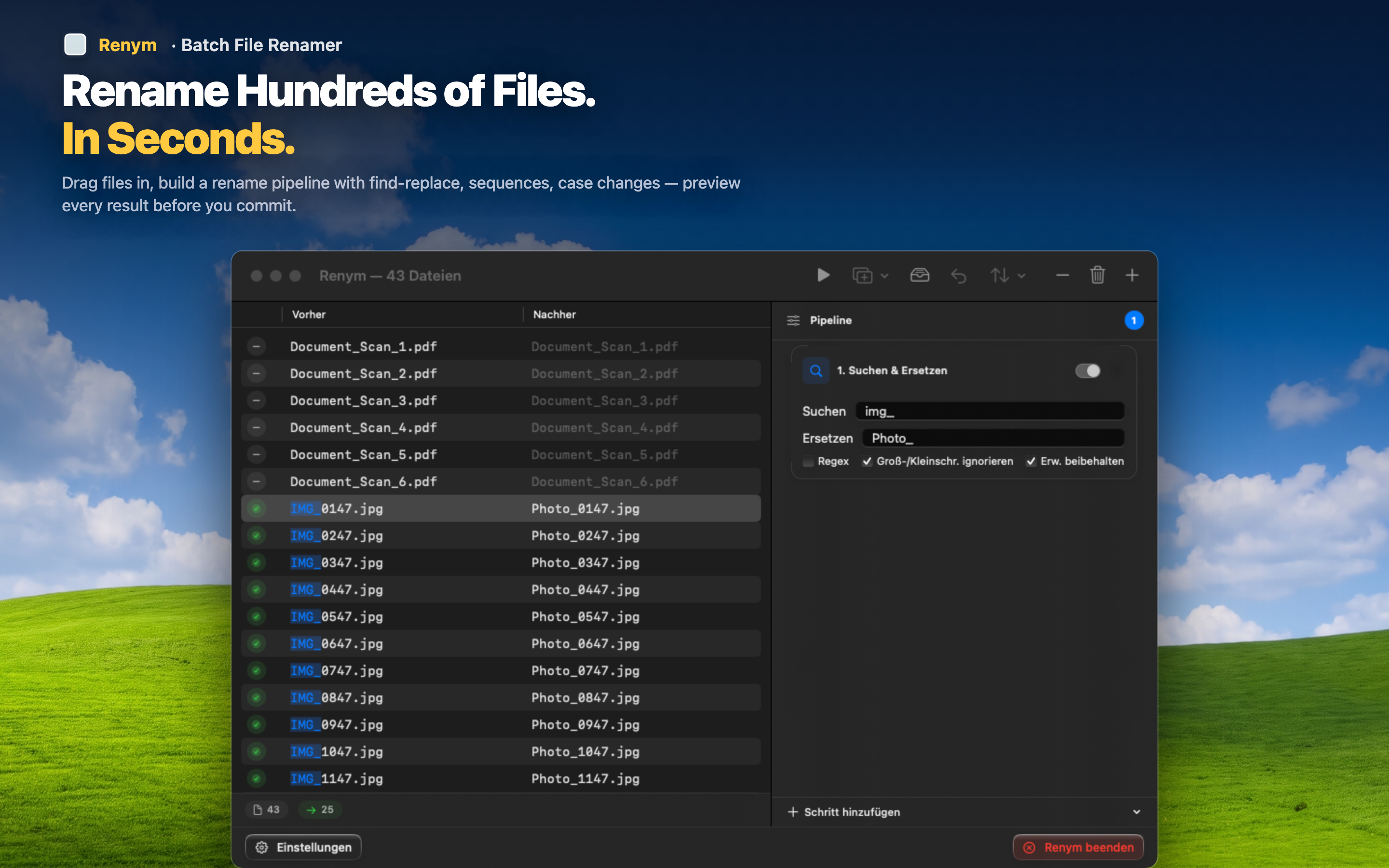
Renym is built around a drag-and-drop workflow. Select files in Finder, drag them into the app window, and they appear in the file list immediately. From there, you build your rename pipeline and preview the results.
Drop files from anywhere
Drag files from any Finder window, the Desktop, or even from another app that supports dragging file references. Renym accepts them all.
Add more files anytime
Already loaded a batch but realized you missed some files? Drag more in. They are added to the existing list without clearing what you already have.
Preview before you apply
Once your files are dropped in, every rename action you add shows a live preview. The original name sits next to the new name for every file. Scroll through, verify, and apply when you are confident.
The full workflow
- Select files in Finder
- Drag them into Renym
- Add rename actions (find/replace, numbering, case change, etc.)
- Review the before-and-after preview
- Click apply
Five steps, no file pickers, no dialog boxes, no re-navigating. Just files in, names out.