The Downloads folder is where file names go to die. Browsers append "(1)," "(2)," and "(3)" to anything that already exists. Some sites serve files with auto-generated names like "file_a8f3k29d.pdf" that mean nothing outside the download session. Years of this accumulate into a folder where searching by name is useless because half the names are generic duplicates and the other half are random strings.
Why this problem gets worse over time
Unlike a project folder you actively manage, Downloads accumulates passively. Nobody sits down and decides to organize it — it just grows until searching becomes painful and you resort to sorting by date instead, which only tells you when something arrived, not what it is. By the time you decide to clean it up, you are looking at hundreds or thousands of files, which makes manual renaming completely impractical.
Bulk cleanup without starting from zero
Renym is built for exactly this kind of bulk cleanup — a large, messy batch that needs several fixes applied at once rather than a single simple rename.
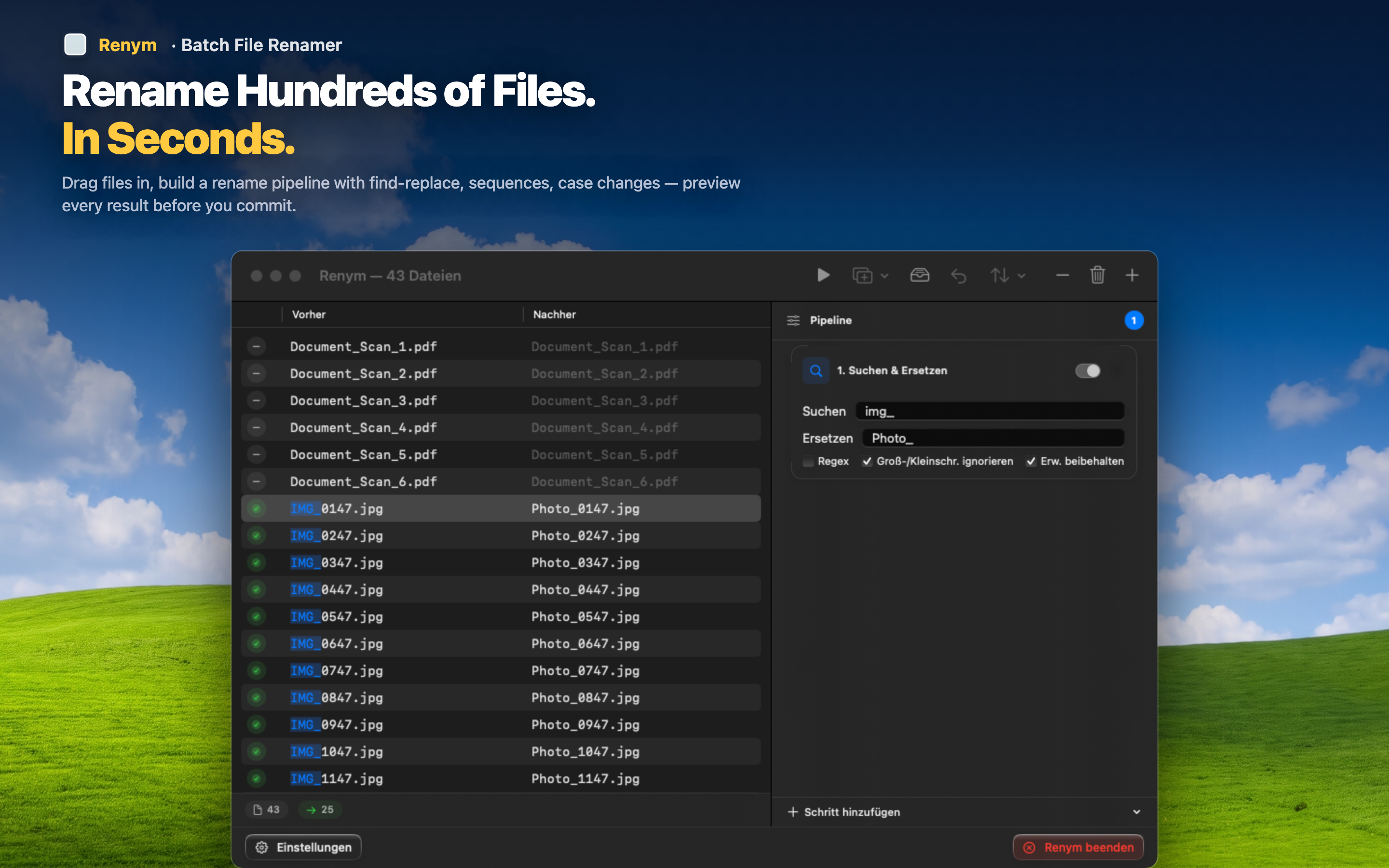
Strip duplicate-download suffixes
Use regex to remove every "(1)," "(2)," and "(3)" pattern across the folder at once, whether they came from browser duplicate handling or repeated downloads of the same file.
Sort by file type first
Group files by extension before you rename, then run separate pipelines for PDFs, images, and archives — each with naming that makes sense for that file type, like adding a source or date prefix.
Add dates for context
Insert a rough date range as a prefix for large batches, so even generically-named files at least tell you roughly when they landed in the folder.
You do not need to sort every file individually — a few pipeline passes on batches grouped by type or date can turn years of clutter into something searchable in one sitting.