Exported files love to add junk to your names. A scanner adds "Scan_" to everything. A CMS prepends a 12-character ID. A download appends "(1)" because the file already existed. A client sends files with spaces, special characters, and inconsistent capitalization that make your organized folder look like chaos.
You need to strip those extra characters from dozens or hundreds of files. Doing it by hand means clicking, selecting, deleting, and pressing Enter for every single file. That is not a workflow — it is a punishment.
What you cannot do in Finder
Finder's rename tool lets you find and replace text, which handles some character removal. If every file has "Scan_" at the beginning, you can replace "Scan_" with nothing. But Finder cannot:
- Remove characters by position (e.g., "delete the first 5 characters")
- Remove characters from the end (e.g., "delete everything after the last underscore")
- Remove characters matching a pattern (e.g., "delete any parenthetical like (1), (2), (copy)")
- Chain multiple removals in one operation
If the characters you need to remove are not identical across all files, Finder's literal text matching will not help.
Bulk character removal with Renym
Renym gives you multiple ways to remove characters from file names, and you can combine them in a single pipeline.
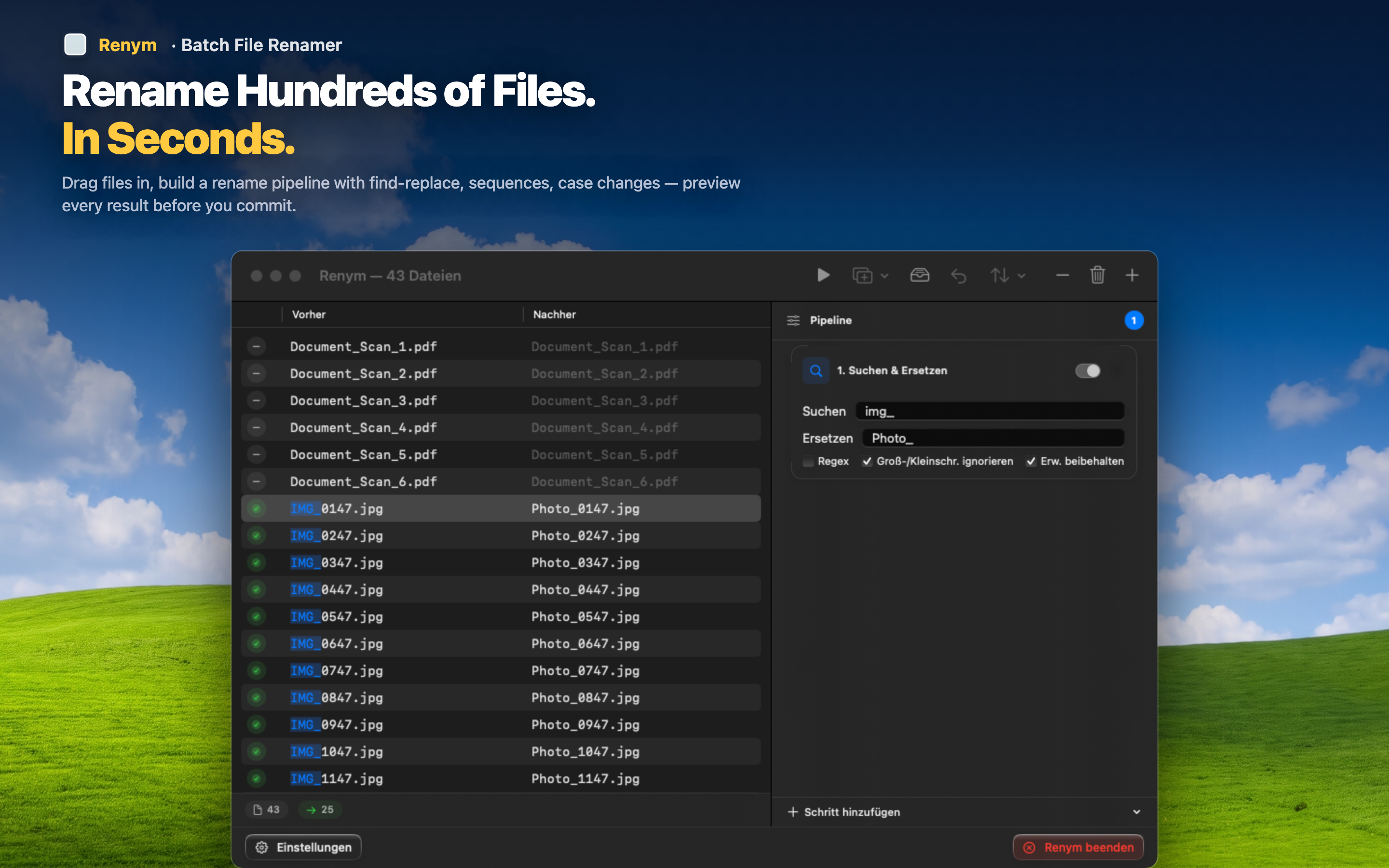
Remove by position
Delete the first N or last N characters from every file name. Perfect for stripping fixed-length prefixes or suffixes that vary in content but not in length.
Remove by pattern
Use regex to match and remove variable text. A pattern like s*(d+) removes all "(1)", "(2)", "(3)" suffixes regardless of the number. A pattern like ^[A-Z]{3}_ strips any three-letter prefix followed by an underscore.
Remove by find and replace
For simple cases, find the unwanted text and replace it with nothing. Works for consistent strings like "Copy of ", "Scan_", or " - final".
Chain removals together
Need to strip a prefix AND remove parenthetical suffixes AND clean up double spaces left behind? Add three actions to the pipeline. Each one operates on the result of the previous step, and the live preview shows you the final outcome for every file.
File names should be clean, consistent, and searchable. If they are not, a five-minute session in Renym fixes the entire batch.